

Battery conditioning mode: (if equipped)
 OSWQ015046L |
|
-
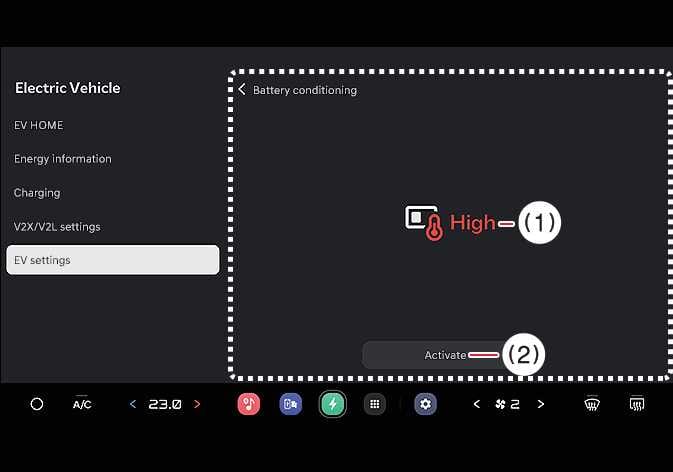
If the high voltage battery temperature is too high or too low, and there is a risk that the battery's DC charging performance may deteriorate. If you set a DC charging station as a destination or waypoint on your navigation, DC charging performance expected at room temperature can be automatically achieved by Battery Condition function whilst considering the arrival time.
-
On the infotainment system screen, the manual switch indicates the operating state of the battery conditioning mode and can be switched on and off by manipulating the switch.
-
You can control the Battery conditioning function remotely whilst parking. In this case, the Battery conditioning mode will end either when the battery temperature reaches the appropriate range or after 30 minutes.
-
The charged power used to change the temperature of a battery may shorten the driving distance. Reaching the optimal temperature of a battery requires time.
Battery conditioning function does not operate to ensure driving distance when the battery charge level is low. The function also does not operate if the temperature of the battery is suitable for DC charging.
-
Battery conditioning function indicator light appear whilst Battery conditioning function is activated.
-
This mode is available for the vehicles equipped with the battery heater.
-
The infotainment system may change after software updates. For more information, refer to the manual provided in the infotainment system and the quick reference guide.