

Detecting sensors
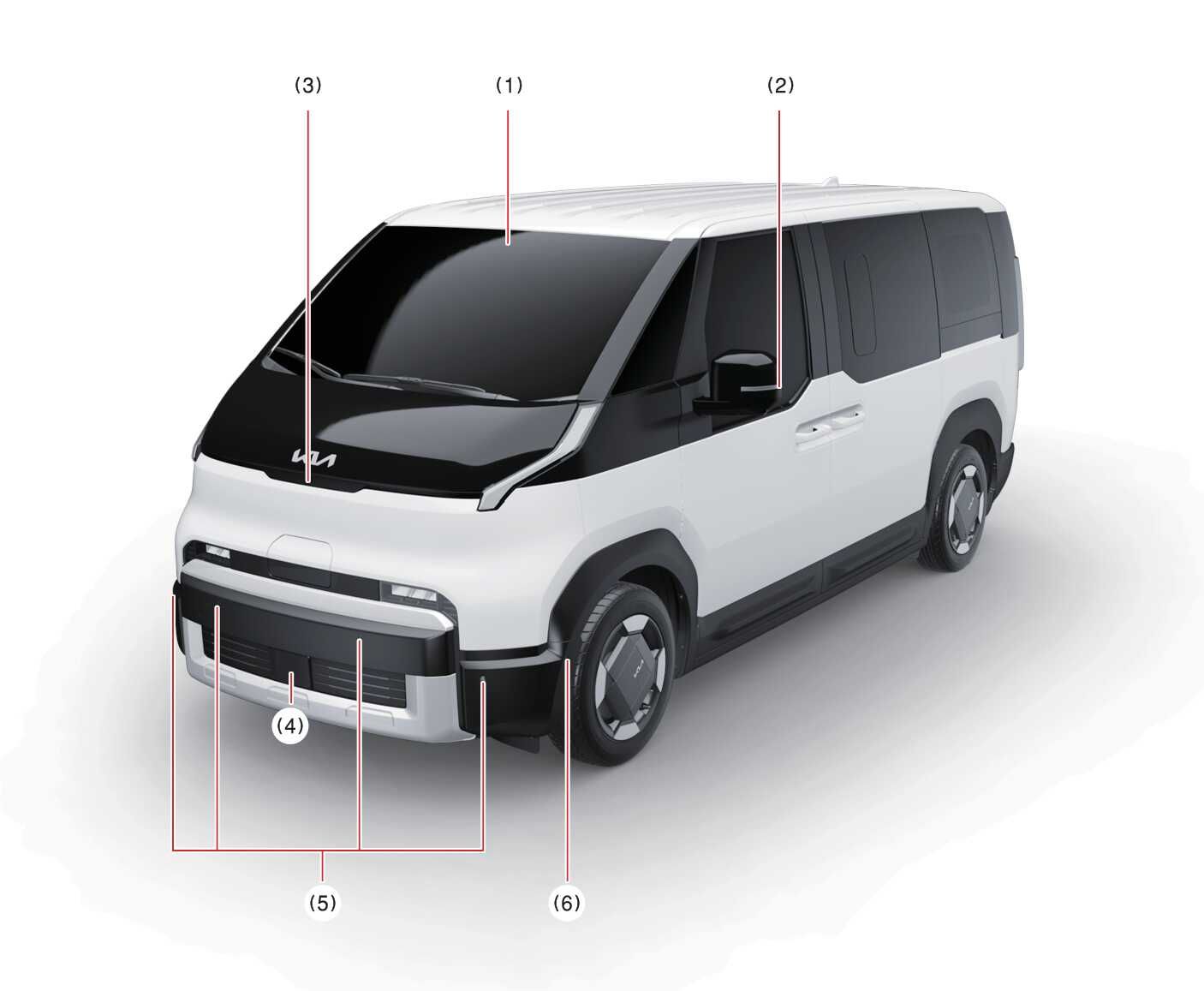
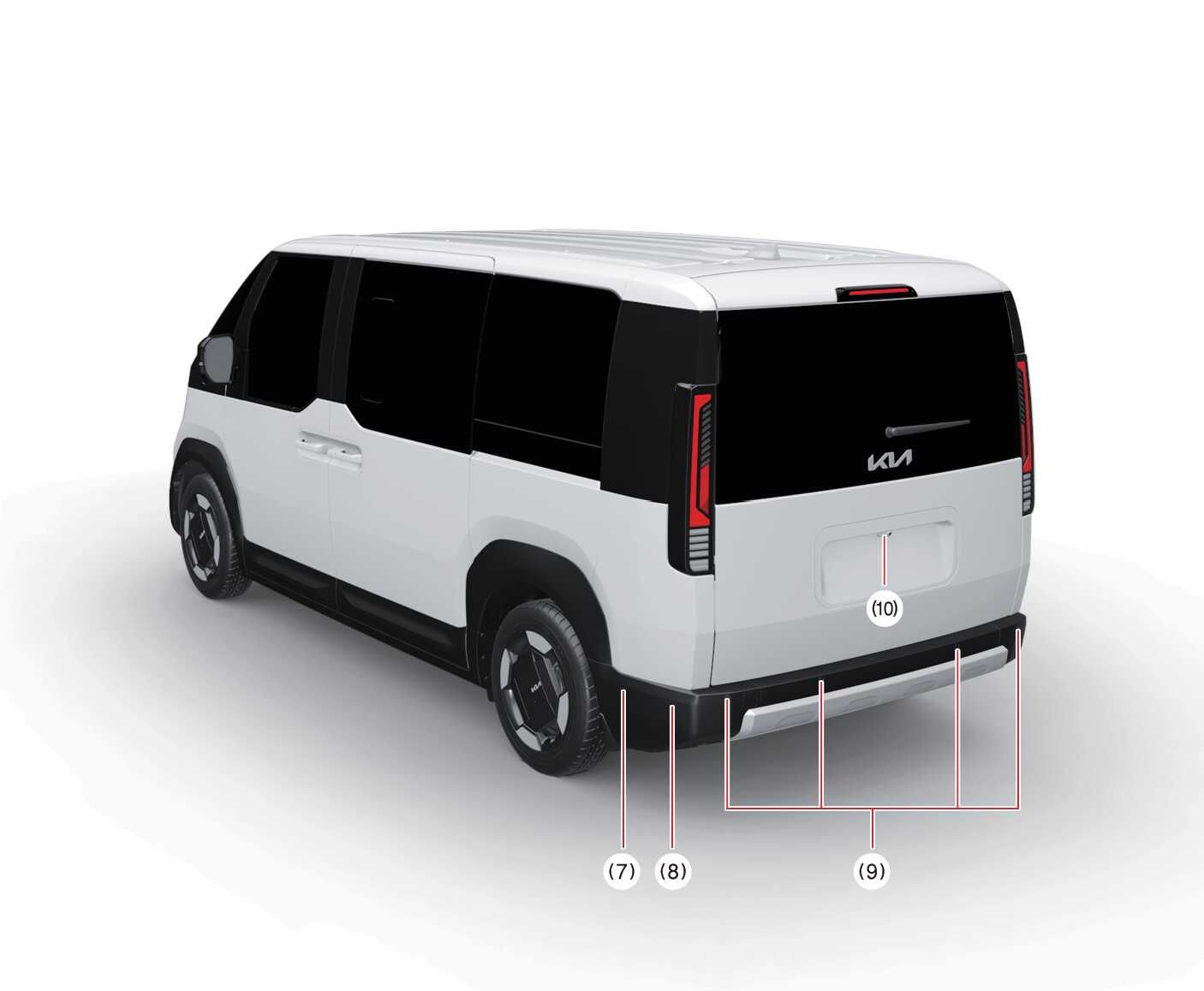
|
No |
Sensor |
Function |
|---|---|---|
|
1 |
Front view camera |
|
|
2 |
Wide-side view camera* |
|
|
3 |
Wide-front view camera* |
|
|
4 |
Front radar |
|
|
5 |
Front ultrasonic sensors |
|
|
6 |
Front side ultrasonic sensors* |
|
|
7 |
Rear side ultrasonic sensors* |
|
|
8 |
Rear corner radar |
|
|
9 |
Rear ultrasonic sensors |
|
|
10 |
Wide-rearview camera |
|
-
Never disassemble the detecting sensor or sensor assembly, or cause any damage to it.
-
If the detecting sensors have been replaced or repaired, have the vehicle inspected by a professional workshop. Kia recommends that you visit an authorised Kia dealer/service partner.
-
If the radar or around the radar experiences an impact, Forward Collision-Avoidance Assist may not operate properly even if a warning message is not displayed on the cluster. Have the vehicle inspected by a professional workshop. Kia recommends that you visit an authorised Kia dealer/service partner.
-
Never install any accessories or stickers on the front windscreen, or tint the front windscreen.
-
Pay extreme caution to keep the front view camera dry.
-
Never place any reflective objects (for example, white paper, mirror) over the instrument panel.
-
Do not place any objects near the front windscreen or install any accessories on the front windscreen. It can affect the performance of the defogging and defrosting function of the climate control system, which may prevent the Driver Assistance systems from operating.
-
Do not apply license plate frame or objects, such as a bumper sticker, film or a bumper guard, near the front radar cover.
-
Always keep the front radar and cover clean and free of dirt and debris.
Use only a soft cloth to wash the vehicle. Do not spray pressurized water directly on the sensor or sensor cover.
-
The genuine Kia front/front corner/rear corner radar sensor covers are parts with quality and performance ensured. If arbitrarily applying paint on or changing the cover, Forward Collision-Avoidance Assist may not function properly.
Use only Kia Genuine Parts or those of an equivalent standard with proven quality and performance to repair or replace the radar sensor covers.
-
The function may not work properly when the bumper has been replaced, or the surroundings of the front corner radar or rear corner radar has been damaged or paint has been applied.
-
If a trailer, carrier, etc. is installed, it may adversely affect the performance of Forward Collision-Avoidance Assist may not operate properly.