

Lane Safety
 OSW035134L |
|
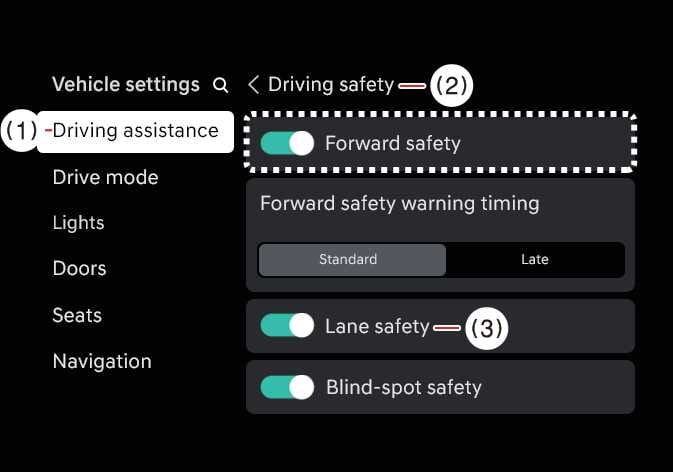
With the vehicle is in DRIVE READY, select on the infotainment system.
-
Lane safety: If Lane safety is selected, Lane Keeping Assist will automatically assist the driver's steering when lane departure is detected to help prevent the vehicle from moving out of its lane. If Lane safety is deselected, the yellow indicator light (
 ) will appear on the cluster.
-
When the vehicle is turned off and restarted, Lane Keeping Assist automatically turns on, and Lane Safety is selected automatically.
-
Except Europe, Australia, Russia, Brazil, Mexico, General
When the vehicle is turned off and then restarted, the Lane Keeping Assist setting will remain as it was before the vehicle was turned off.
-
The driver should always be aware of the surroundings and steer the vehicle if Lane safety is deselected.
When the Lane Driving Assist button ( ) is pressed and held for more than 2 seconds to turn off Lane Keeping Assist, Lane Safety will also be turned off.