

Warning road conditions ahead
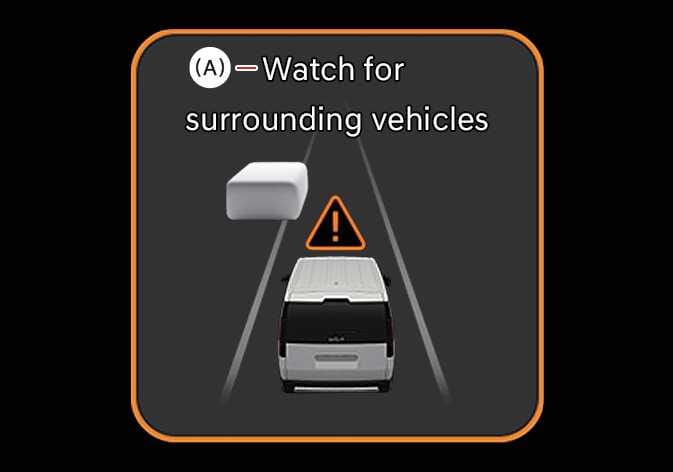 OSW055153L |
(A): Watch for surrounding vehicles |
In the following situation, the warning message will appear on the cluster, and an audible warning will sound to warn the driver of road conditions ahead.
-
Always pay attention to vehicles or objects that may suddenly appear in front of you, and if necessary, depress the brake pedal to reduce your driving speed in order to maintain a safe distance.
-
Smart Cruise Control does not substitute for proper and safe driving. It is the responsibility of the driver to always check the speed and distance to the vehicle ahead.
-
Smart Cruise Control may not recognise unexpected and sudden situations or complex driving situations, so always pay attention to driving conditions and control your vehicle speed.
-
Keep Smart Cruise Control off when the function is not in use to avoid inadvertently setting a speed.
-
Do not open the door or leave the vehicle when Smart Cruise Control is operating, even if the vehicle is stopped.
-
Always be aware of the selected speed and headway distance.
-
Keep a safe distance according to road conditions and vehicle speed. If the headway distance is too close during high-speed driving, a serious collision may result.
-
When maintaining distance with the vehicle ahead, if the front vehicle disappears, Smart Cruise Control may suddenly accelerate to the set speed. Always be aware of unexpected and sudden situations from occurring.
-
Vehicle speed may decrease on an upward slope and increase on a downward slope.
-
Always be aware of situations such as when a vehicle cuts in suddenly.
-
When the vehicle is heavily loaded or driving on an incline, control may be limited depending on road conditions. Always pay close attention and, if necessary, press the brake pedal to control the speed manually.
-
When towing another vehicle or trailer, using Smart Cruise Control may reduce driving stability. Always drive with caution.
-
Turn off Smart Cruise Control when your vehicle is being towed.
-
Smart Cruise Control may not operate properly if interfered by strong electromagnetic waves.
-
Smart Cruise Control may not detect an obstacle in front and lead to a collision. Always look ahead cautiously to prevent unexpected and sudden situations from occurring.
-
Vehicles moving in front of you with frequent lane changes may cause a delay in Smart Cruise Control reaction or may cause Smart Cruise Control to react to a vehicle actually in an adjacent lane. Always drive cautiously to prevent unexpected and sudden situations from occurring.
-
Always be aware of the surroundings and drive safely, even though a warning message does not appear, or an audible warning does not sound.
-
If any other function's warning message is displayed or warning sound is generated, Smart Cruise Control warning message may not be displayed and warning sound may not be generated.
-
You may not hear the warning sound of Forward Collision-Avoidance Assist if the surrounding is noisy.
-
The vehicle manufacturer is not responsible for any traffic violation or accidents caused by the driver.
-
Always set the vehicle speed under the speed limit in your country.