
Function operation
Rear View Monitor controller
Parking/View button
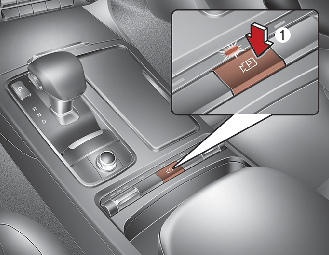
-
Press the Parking/View button (1) to turn Rear View Monitor on or off.
Rear view
Operating conditions
-
If the gear is shifted to R (Reverse), while rear view is displayed on the screen.
Off conditions
-
The rear view will not be turned off with the gear in R (Reverse).
-
If pressing the Parking/View button (1) when the gear is in P (Parking) position with the video is displayed, the video will be turned off.
Extended rear view
If the gear is shifted from R (Reverse) to N (Neutral) or D (Drive), the rear view will be maintained to park the vehicle safely.
Operating conditions
-
If the gear is shifted from R (Reverse) to N (Neutral) or D (Drive), the rear view will be turned on.
Off conditions
-
The rear view will turn off when vehicle speed is above 10 km/h (6 mph).
-
The rear view will turn off when the Parking/View button (1) is pressed.
-
If the gear is shifted to p (park), the function is turned off.
Rear top view
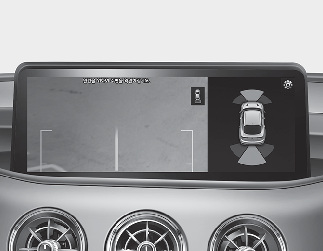
When you touch the Soft button ( ), the top view is displayed on the screen and shows the distance from the vehicle in the back of your vehicle while parking.