
Function operation
To set speed limit
-
Press the speed limit
 button twice on the steering wheel, to turn the function on.
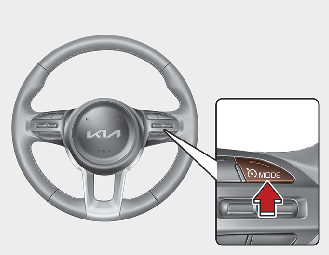
The speed limit indicator light will illuminate.
-
Move the switch down (to SET-).
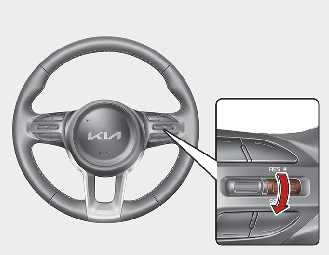
-
Move the switch up (to RES+) or down (to SET-), and release it at the desired speed. Move the switch up (to RES+) or down (to SET-) and hold it.The speed will increase or decrease by 5 km/h (3 mph).
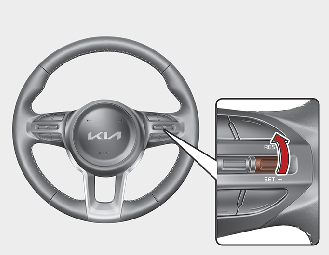
The set speed limit will be displayed on the cluster.

To drive over the preset speed limit you must depress hard on the accelerator pedal (more than approximately 80%) until the kick down mechanism works with a clicking noise. Then the set speed limit will blink and chime will sound until you return the vehicle speed within the speed limit.

-
Depressing the accelerator pedal less than approximately 50%, the vehicle will not speed over the preset speed limit but maintain the vehicle speed within the speed limit.
-
A clicking noise heard from the kick down mechanism by depressing the accelerator pedal fully is a normal condition.
To turn off the speed limit control, do one of the following:
-
Press the speed limit
button once again.
-
Press the Driving Assist button (If you press the Driving Assist button, the cruise function will turn on)
If you press the O button once, the set speed limit will cancel, but it will not turn the function off. If you wish to reset the speed limit, move the switch up (to RES+) or down (to SET-) to the desired speed.

The "OFF" indicator will blink if there is a problem with speed limit control function.
If this occurs, have the function checked by a professional workshop. Kia recommends to visit an authorised Kia dealer/service partner.