

Mode selection
The mode selection button controls the direction of airflow through the ventilation system.
 OCV041301L |
The air flow outlet port is directed as follows:
 OMQ4040346 |
 Face-Level (2, 4, 6)
Air flow is directed toward the upper body and face. You can control the direction of the airflow from each vent.
 Bi-Level (2, 3, 4, 5, 6)
Air flow is directed toward the upper body and face and the floor.
 Floor-Level (1, 3, 4, 5)
Most of the air flow is directed to the floor, with a small amount of the air being directed to the windshield and side window defrosters.
 Floor/Defrost-Level (1, 3, 4, 5)
Most of the air flow is directed to the floor and the windshield with a small amount directed to the side window defrosters.
Controlling the vents
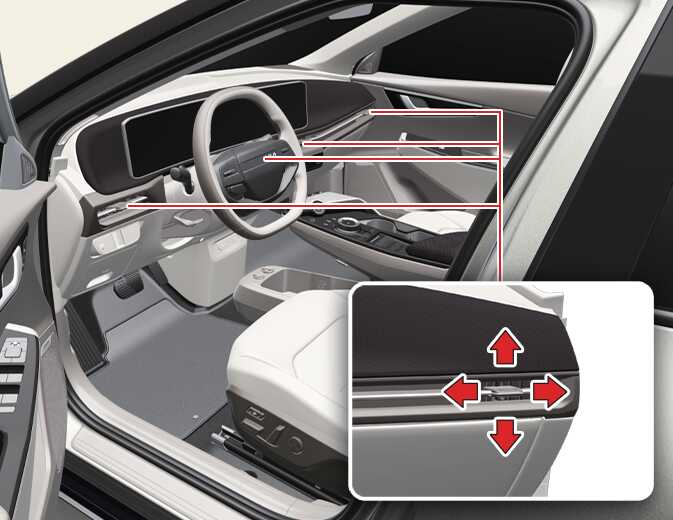 OCV085001N |
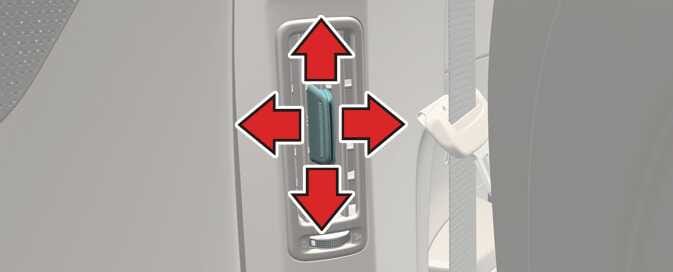 OCV041322L |
The outlet vents can be opened or closed by moving the vent left or right.
Also, you can adjust the direction of air delivery from these vents using the vent control lever as shown.