

Forward/Side Safety: (if equipped)
 OMQ4053187L |
|
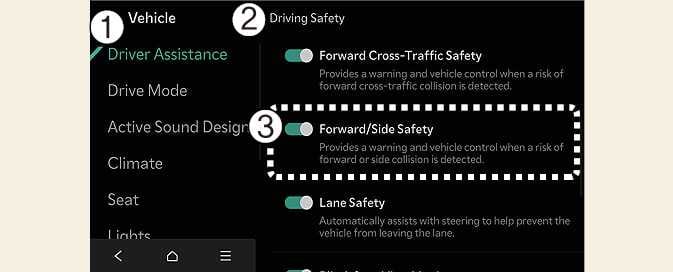
While the vehicle is DRIVE READY, tap on the infotainment system screen to change the Forward/Side Safety settings.
-
Forward/Side Safety: Collision warning or emergency steering may assist the driver in a collision-imminent situation. If you deselect the setting, Forward safety will turn off and the Emergency steering warning light (
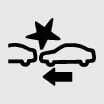 ) will appear on the cluster.
You can monitor Forward Collision-Avoidance Assist setting status on the Settings menu of the infotainment system screen. If the Forward Safety warning light ( ) or Emergency steering warning light () remains ON when Forward safety or Forward/Side safety is selected, have the vehicle inspected by an authorized Kia dealer.
Forward Collision-Avoidance will always be on when the vehicle is started. If you turn off Forward Collision-Avoidance Assist while in the settings, the function cannot help you. Always drive carefully.
-
Forward safety settings include 'Basic function', 'Junction Turning function', and 'Direct On coming function'. Forward Cross-Traffic Safety include 'Junction Crossing function', Forward/Side Safety includes 'Lane change oncoming function', 'Lane change side function' and 'Evasive Steering Assist function'.: (if equipped)
-
If Forward safety is set to Off, even if Forward Cross-Traffic safety and Forward/Side Safety is selected, 'Junction Crossing function' will not operate. (if equipped)
-
When the trailer’s connector is plugged into your vehicle, Forward/Side Safety function of Forward Collision-Avoidance Assist automatically turns off. In this case, you cannot get help from Forward/Side Safety function of Forward Collision-Avoidance Assist. Pay extra attention when you drive when the function is inactive. (If a Kia genuine Trailer Kit that can determine whether a trailer is connected is used)