

How to delete Digital Key 2 (Card key)
-
Turn the vehicle on with the smart key and make sure to keep the smart key inside the vehicle during the digital key (card key) deleting process.
-
With the vehicle on, place the card key on the In-vehicle authentication pad (wireless charging pad). With the vehicle on, touch on the infotainment system.
The Delete menu will be disabled if there is no digital key (card key) saved.
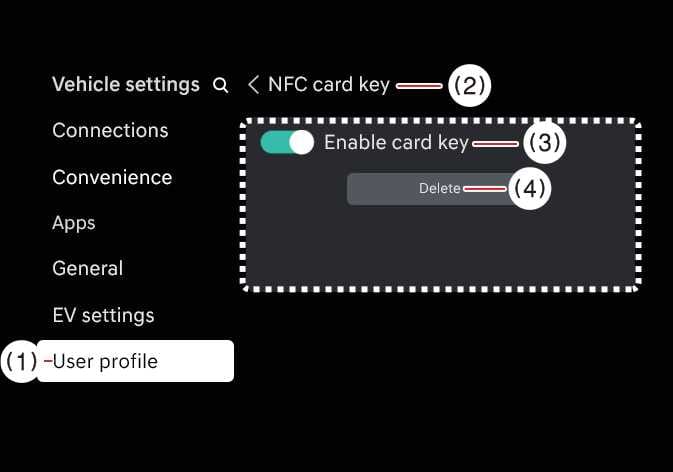 OSW035156L
-
User profile
-
NFC card Key
-
Enable card key
-
Delete
-
-
When the digital key (card key) is deleted, a message will appear on the infotainment screen or cluster.
TIP
The infotainment system may change after software updates. For more information, refer to the user's manual provided in the infotainment system and the quick reference guide.