

Smart regeneration system operation
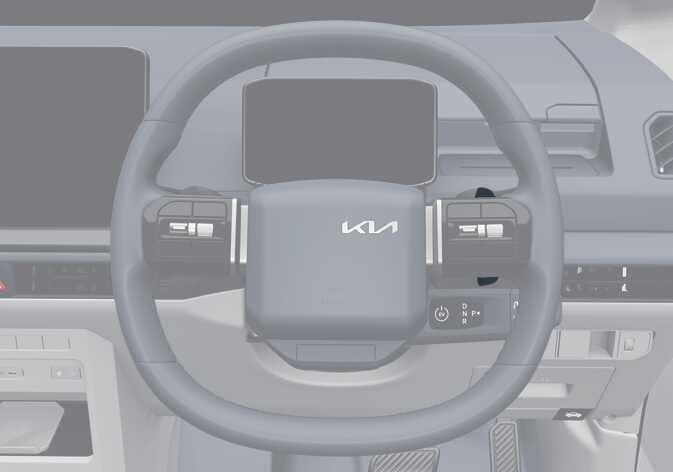 OSW045035R |
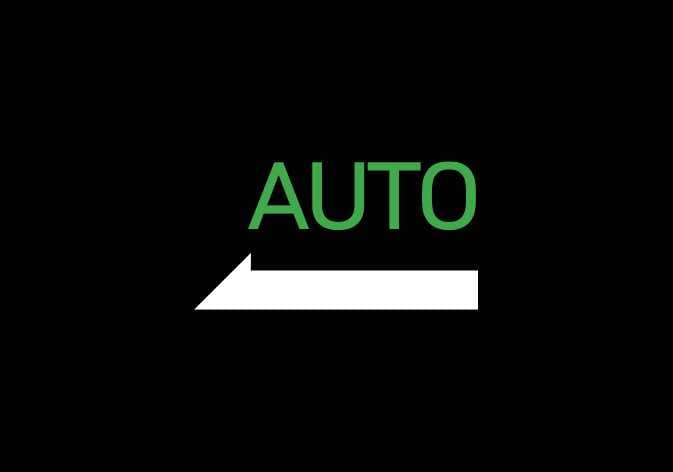 OSWQ015075 |
-
Pull and hold the right side (
 ) of the paddle
shifter for approximately more than 1 second to activate smart regeneration
system. (
) of the paddle
shifter for approximately more than 1 second to activate smart regeneration
system. ( ) indicator will
appear on the instrument cluster.
) indicator will
appear on the instrument cluster. -
Pull and hold the right side (
) of the paddle
shifter again for approximately more than 1 second to deactivate smart
regeneration system. () indicator
will disappear on the instrument cluster.
If regenerative braking is unavailable due to factors such as high-voltage battery temperature or state of charge, smart regeneration system may be temporarily limited.
Smart regeneration system will automatically deactivate when:
-
The vehicle is in P (Park), R (Reverse), or N (Neutral).
-
Smart Cruise Control (SCC) is operating.
-
Electronic Stability Control (ESC) or Anti-lock Brake System (ABS) is operating.
-
DRIVE MODE is in SNOW mode.
Operating condition(s)
-
When the vehicle speed is above approximately 10 km/h (6 mph). (Except Europe)
-
The road gradient changes.
-
Distance from the vehicle ahead reduces or increases.
-
Speed of the vehicle ahead reduces or increases.
-
Taking a left or right turn in the crossroads.
-
Approaching a roundabout.
Non-operating condition(s)
-
When the vehicle speed is under approximately 10 km/h (6 mph).
-
The vehicle is in P (Park), R (Reverse), or N (Neutral).
-
Smart Cruise Control is operating.
-
Electronic Stability Control (ESC) or Anti-lock Braking System (ABS) is operating.
-
Smart regeneration system, which automatically controls regenerative braking during coasting, is a supplemental system for driver convenience.
-
Do not rely solely on this system to stop the vehicle. The system cannot fully stop the vehicle in all situations or prevent all collisions.
-
Braking may be insufficient if a vehicle ahead stops suddenly, cuts in unexpectedly, or when driving on steep slopes.
-
Always remain alert and observe road conditions to prevent unexpected situations.
-
When the smart regeneration system automatically cancels, adjust your speed by using the accelerator or brake pedal according to road conditions.
-
If the front radar does not detect a vehicle ahead, the (
) indicator
appears in white. -
If a vehicle ahead is detected, the (
)
indicator appears in green. In this case, the vehicle decelerates
automatically based on the distance and speed of the vehicle ahead, and
the regenerative braking level is displayed with an arrow symbol. -
If the brake pedal is pressed whilst the system is active, the current regenerative braking level is maintained. If the accelerator pedal is pressed, the system is temporarily deactivated.
-
Smart regeneration system may be temporarily limited if regenerative braking is not available due to high-voltage battery temperature or state of charge.
-
The infotainment system may change after a software update. For more details, refer to the user’s manual in the infotainment system or the quick reference guide.