

Forward Safety Warning Timing
 OSW035165L |
|
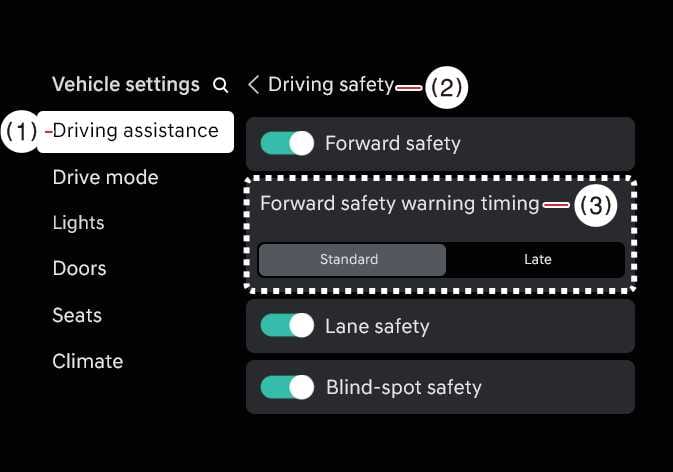
With the vehicle on, select on the infotainment system to change the initial warning activation timing of Forward Collision-Avoidance Assist.
-
Use Standard in normal driving conditions. If the Warning Timing seems sensitive, change it to Late.
-
If Late is selected, Forward Collision-Avoidance Assist, warns the driver more slowly.
CAUTION
-
Even though Standard is selected for Warning Timing, if the front vehicle suddenly stops, the warning may seem late.
-
Select Later for Warning Timing when traffic is light and when driving speed is slow.
NOTE
The warning timing you have set will be maintained even if the vehicle is restarted