
How to use the Liftgate Auto Close
The liftgate can be closed with no-touch activation satisfying all the conditions below.
-
Liftgate is open.
-
Positioned in the detecting area for more than 3 seconds.
-
When you leave the vehicle carrying a smart key.
-
Setting
To activate the Liftgate Auto Close system, select Smart Liftgate on the LCD display or infotainment system.
For more details, refer to More Details.
If your vehicle is equipped with an infotainment system, you can learn how to setup on the website via QR code in the infotainment quick reference guide.
-
Detect and Alert
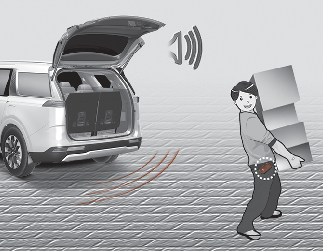
If you are positioned in the detecting area (20 ~ 40 in [50 ~ 100 cm] behind the vehicle) carrying a smart key when the liftgate is opened, the hazard warning lights will blink and chime will sound to alert you the smart key has been detected.
-
Automatic closing
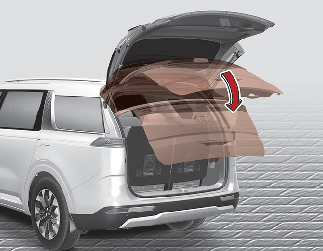
When you leave the vehicle carrying a smart key, the chime will sound 3 times preparatory to the function and then the liftgate will be closed after the chime sounds 2 times.