
Heating and air conditioning
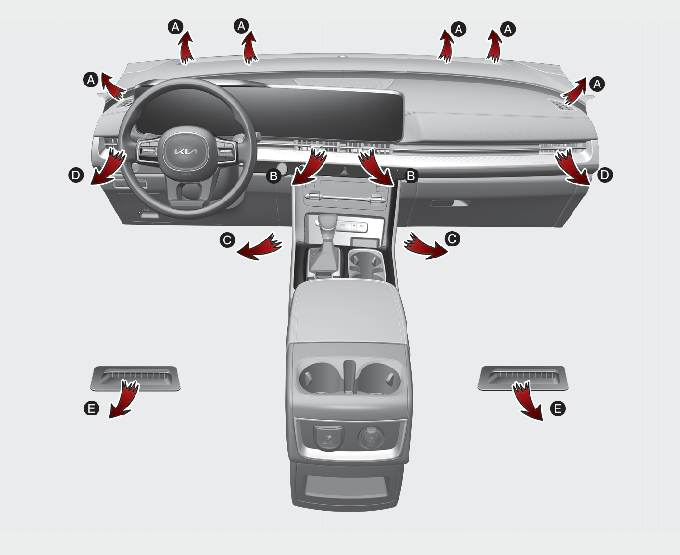
For improving the effectiveness of heating and cooling;
-
Heating:

-
Cooling:

If air conditioning is desired, turn the air conditioning system on.
Mode selection
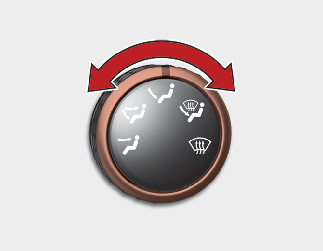
Air can be directed to the floor, dashboard outlets, or windshield. Five symbols are used to represent Face, Bi-Level, Floor, Floor-Defrost and Defrost air position.
 Face-Level (B, D)
Air flow is directed toward the upper body and face. Additionally, each outlet can be controlled to direct the air discharged from the outlet.
 Bi-Level (B, C, D, E)
Air flow is directed towards the face and the floor.
 Floor-Level (A, C, D, E)
Most of the air flow is directed to the floor, with a small amount of the air being directed to the windshield, side window defrosters and side air vents.
 Floor/Defrost-Level (A, C, D, E)
Most of the air flow is directed to the floor and the windshield with a small amount directed to the side window defrosters and side air vents.
 Defrost-Level (A, D)
Most of the air flow is directed to the windshield with a small amount of air directed to the side window defrosters and side air vents.
Instrument panel vents
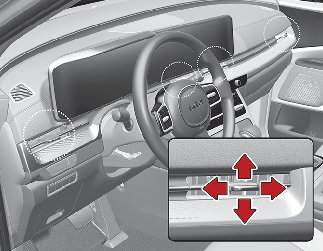
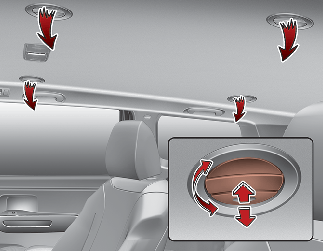
You can adjust the direction of air delivered from these vents using the vent control lever as shown.
Temperature control
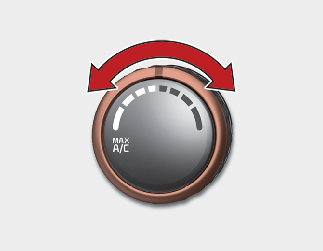
To change the air temperature in the passenger compartment, turn the knob to the right for warm and hot air or to the left for cooler air.

When starting the vehicle in cold weather using manual temperature control, operate the system in the following method to improve heating:
-
Turn off or lower the blower, right after starting the engine.
-
Allow the engine to warm up during this time since the air flow from the heater is still cold.
-
After a few minutes of engine warm up, turn on or set the fan to a higher level and adjust the temperature setting to hot.
Max A/C selection
To operate the MAX A/C, turn the temperature knob all the way to the left. Air flow is directed toward the upper body and face.
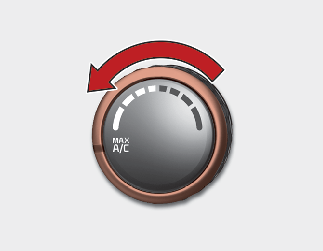
In this mode, the air conditioning and the recirculated air position will be selected automatically.
Controlling air intake
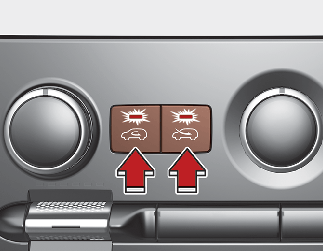
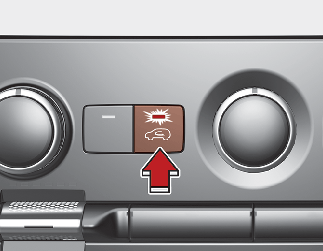
To change the air intake control position.
-
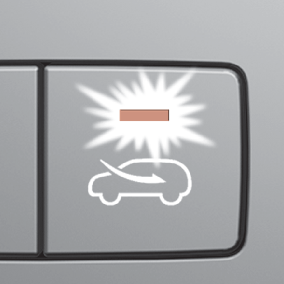
Push the desired control button
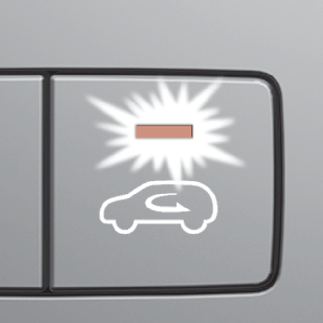
With the recirculated air position selected, air from the passenger compartment will be drawn through the heating system and heated or cooled according to the function selected.
|
Type A
 |
Type B
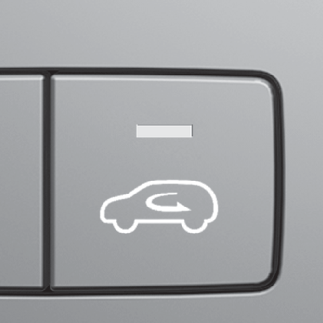 |
The indicator light on the button will turn off when the outside (fresh) air position is selected.
With the outside (fresh) air position selected, air enters the vehicle from outside and is heated or cooled according to the function selected.
Prolonged operation of the heater in the recirculated air position (without air conditioning selected) may cause fogging of the windshield and side windows and make the air in the passenger compartment stale.
In addition, prolonged use of the air conditioning with the re circulated air position selected will result in excessively dry air in the passenger compartment.

-
Continuously using the climate control system in the recirculated air position may allow humidity to increase inside the vehicle which may fog the glass and obscure visibility.
-
Do not sleep in a vehicle with the air conditioning or heating system on. It may cause serious harm or death due to a drop in the oxygen level and/or body temperature.
-
Continuously using the climate control system in the recirculated air position can cause drowsiness or sleepiness, and loss of vehicle control. Set the air intake control to the outside (fresh) air position as much as possible while driving.
Controlling fan speed
The ENGINE START/STOP button must be in the ON position for fan operation.
-
To change the fan speed:
-
Turn the knob to the right for higher speed or left for lower speed.
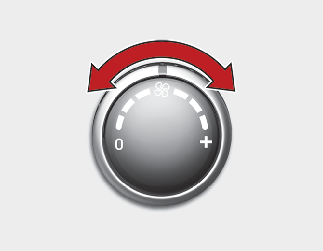
-
Turn the fan speed control knob to the "0" position.
To turn off the blowers:
Air conditioning (A/C)
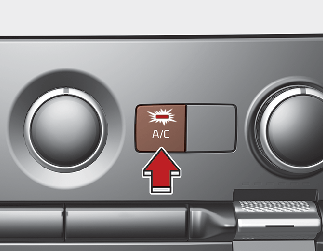
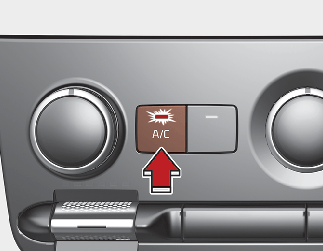
-
Press the A/C button to turn the air conditioning system on (indicator light will illuminate).
-
Press the button again to turn the air conditioning system off.
Rear climate control
From the front seat
-
Set the rear climate control selection (REAR ON) button in the front climate control panel to the ON position.
-
Set the rear fan speed control knob in the front climate control panel to the desired position.
-
Set the rear temperature control knob in the front climate control panel to the desired position.
From the rear seat
-
Set the rear climate control selection (REAR ON) button in the front climate control panel to the ON position.
-
Set the rear climate control selection (REAR LOCK) button in the front climate control panel to the OFF position.
-
Set the rear fan speed control button on the rear climate control panel to the desired position.
-
Set the rear temperature control button on the rear climate control panel to the desired position.
-
Select the desired rear mode button on the rear climate control panel.
-
To turn off the rear air conditioning system, press the off button in the rear climate control panel.
Rear mode selection
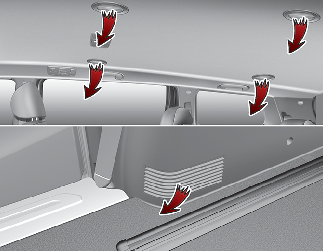
-
Front climate control is MAX A/C,
 : Rear air blows from the upper vents on the rear ceiling.
-
Front climate control is
 : Rear air blows from the upper vents on the rear ceiling and the lower vents on the right rear trim together.
-
Front climate control is
 ,
,  : Rear air blows from the lower vents on the right rear trim.
When the rear climate control selection (REAR ON) button in the front climate control panel is in the ON position and set the rear climate control selection (REAR LOCK) button in the front climate control panel to the OFF position and the rear mode is selected by pushing the rear mode selection button on the rear control panel as follows:
-
: Rear air blows from the upper vents on the rear ceiling.
-
: Rear air blows from the upper vents on the rear ceiling and the lower vents on the right rear trim together.
-
: Rear air blows from the lower vents on the right rear trim.
Rear temperature control
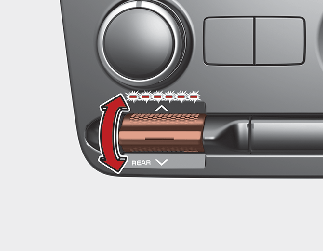
Set the rear climate control selection (REAR ON) button to the ON position and turn the rear temperature control (REAR TEMP) knob in the front climate control panel to the desired position. To change the rear air temperature, press the switch to the upper position for warm and hot air or lower position for cooler air.
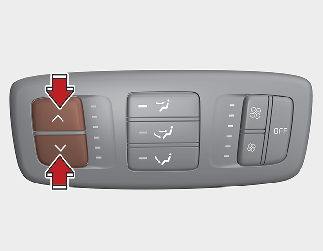
Set the rear climate control selection (REAR ON) button in the front climate control panel to the ON position and set the
rear climate control selection (REAR LOCK) button in the front climate control panel to the OFF position. To change the rear
air temperature, press the button ( ) for warmer air or press the button (
 ) for cooler air.
Rear fan speed control
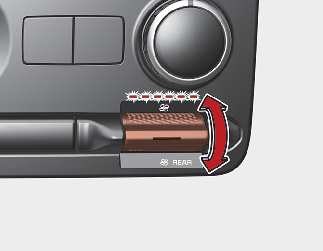
Set the rear climate control selection (REAR ON) button to the ON position and turn the rear fan speed control (REAR) switch in the front climate control panel to the desired position.
To change the rear fan speed, press the switch to the upper position for higher speed or lower position for lower speed. The rear climate control fan speed will not decrease below 1 if the fan speed is controlled on the front climate control panel.
To turn the rear air conditioning system off, press the rear climate control selection (REAR ON) button on the climate control panel.

Set the rear climate control selection (REAR ON) button in the front climate control panel to the ON position and set the rear climate control selection (REAR LOCK) button in the front climate control panel to the OFF position and press the rear fan speed control button on the rear control panel to the desired position.
To turn off the rear air conditioning system press the off button in the rear climate control panel.