

Enrolling fingerprint
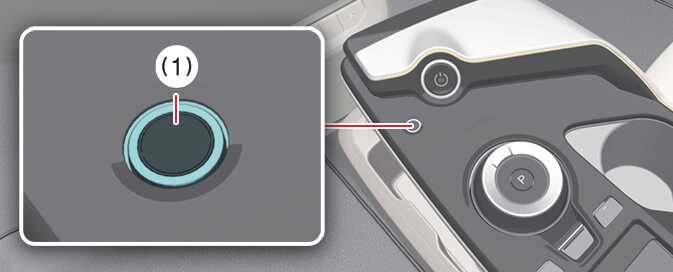 OCV095005N |
-
Turn the vehicle to POWER ON position.
-
Select in the infotainment.
-
Gently place your finger that you wish to enroll on the fingerprint sensor (A) according to the instruction. Fingerprint authentication attempts with excessive force may fail
-
Following the instructions, place several parts of your fingertip on the sensor until the scanning process is complete.
-
Once the scanning process is completed, the message Saving fingerprint…. appears and the fingerprint enrollment process is completed.
-
When the fingerprint enrollment process is complete, the status displays on the infotainment system screen.
-
The fingerprint enrollment process stops under the following conditions:
-
You alter the infotainment system screen.
-
The EV button turns on or off.
-
You shift the gear and drive the vehicle.
-
-
The infotainment system might change after software updates. For more information, refer to the manual provided in the infotainment system and the quick reference guide.