

Operating turn signals and lane change signals
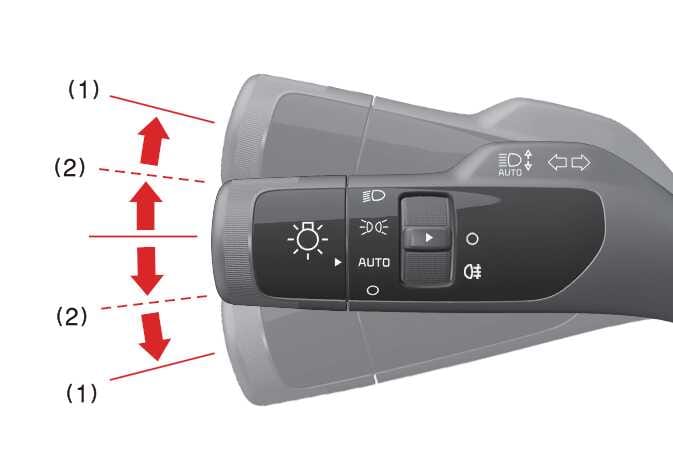 OSW035465L |
The vehicle must be in the POWER ON position or the DRIVE READY indicator must be on for the turn signals to operate.
-
Move the lever up or down (1) to activate the turn signals.
The green turn signal indicators on the instrument panel (
 ) show which side of turn signal is operating.
The turn signals will cancel automatically after a turn. If the indicator continues to flash, manually return the lever to the OFF position.
-
Move the lever slightly to position (2) and hold it to signal a lane change.
The lever will return to the OFF position when released.
-
If the turn signal indicator stays on without flashing or flashes abnormally, one of the turn signal lamps may be malfunctioning and should be inspected and replaced as necessary.