

Wireless smartphone charging system: (if equipped)
A wireless smartphone charging system is located in front of the centre console.
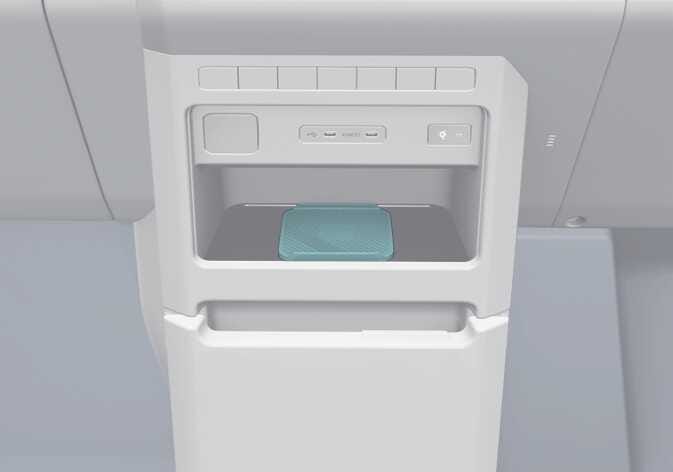 OSW035031R |
Firmly close all doors whilst the EV button is in POWER ON or DRIVE READY position. To start wireless charging, place the smartphone equipped with wireless charging function on the wireless charging pad.
For best wireless charging results, place the smartphone on the centre of the charging pad.
The wireless charging system is designed for one smartphone equipped with QI only. Please refer to the smartphone accessory cover or the smartphone manufacturer homepage to check whether your smartphone supports QI function.
If any metallic object such as coins is located between the wireless charging system and the smartphone, the charging may be disrupted. Also, the metallic object may heat up.
-
It's normal for your phone to warm up whilst charging, but using apps like Android Auto or Apple CarPlay can cause it to heat up faster, potentially delaying or stopping the charging process due to overheating. This is not an issue with the wireless charging system, so please remove the smartphone from the charging pad to help it cool down.
-
During wireless charging, an internal fan operates to prevent overheating. Fan noise may sound.
The wireless charging speed for certain smartphones with built-in protection may decrease or stop, depending on the wireless charging policy and product specifications set by each manufacturer, so you can check your smartphone's maximum wireless charging speed in the manufacturer's wireless charging manual.