

Display and control
You can see the status of the Highway Lane Change Assist function operation in the Driving Assist view on the cluster. Refer to LCD display.
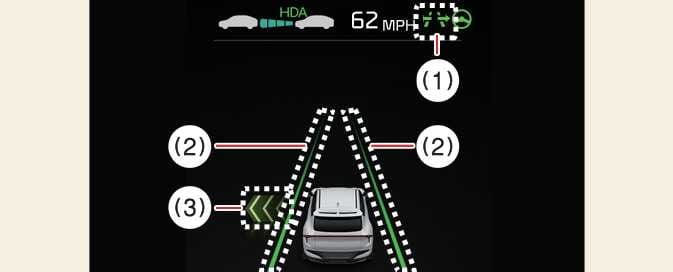
The Highway Lane Change Assist status is displayed on the instrument cluster as follows:
 OCV105049N |
 OCV105050N |
-
Highway Lane Change Assist indicator
-
Green (
 ): Ready
 -
Green (
) blinking: Operating -
Gray (
): Standby -
White (
) blinking: Canceled (displays for a short time after cancellation)
-
-
Lane line
The lane line displays with the same color as the Highway Lane Change Assist indicator (1). However, the lane detection availability is shown on Standby.
-
Green arrow and shade
The green arrow appears when a certain amount of time has passed after the function starts operating and until the lane change is completed.
-
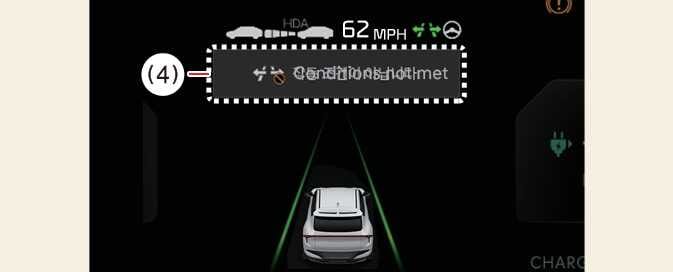
Message
-
A message appears if Highway Lane Change Assist cannot operate when you use the turn signal lever.
-
A message appears when Highway Lane Change Assist is canceled while operating.
-
Highway Lane Change Assist function will turn on when the following conditions are satisfied.
-
The Driving Assist button or Lane Driving Assist button is used to turn on Highway Driving Assist.
-
The OK button is pressed on the steering wheel while a message asking to use Highway Lane Change Assist is displayed on the cluster.