
System errors and limitations
System errors
System inspection
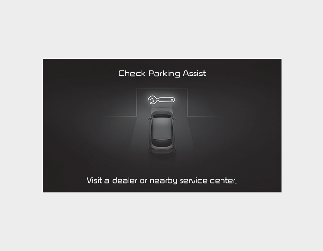
Displays a warning message on the infotainment system display when there is an error with the Remote Smart Parking Assist system.
At this time, do not use the Remote Smart Parking Assist, and have the system checked by an authorised Kia dealer/service partner.
System release
When the Remote Smart Parking Assist is activated, the system can be turned off in any order, and depending on the situation, different turn off messages are displayed.
Drivers should always check safety-related issues and use caution when using the Remote Smart Parking Assist.
System Operation Standby
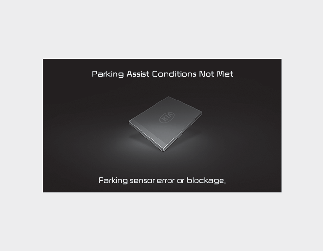
When the driver presses and holds the Parking/View「 」button
The Remote Smart Parking Assist displays an inoperative message on the infotainment system display.
At this time, the Remote Smart Parking Assist is preparing for operation. After a whilst, press and hold the Parking/View
「」button to see if it is working normally.
Even if the smart key's battery is running low, a malfunction message is shown on the infotainment system display. Replace the smart key's battery.
Limitations
In the following cases there is a risk of collision and degraded performance of the Remote Smart Parking Assist system, so if needed, park or exit the parking space manually.
-
When attaching accessories to the steering wheel
-
When equipped with snow chains or spare tyres or wheels of different sizes
-
When the tyre air pressure is lower or higher than the standard air pressure
-
Loading a load that is longer or wider than the vehicle, or attaching a trailer
-
When wheels are improperly alignment
-
When a vehicle leans severely to one side
-
When a trailer hitch is mounted to the vehicle
-
When the license plate is mounted in a location other than the normal position
-
When there is a person, animal, or object above or below the location where an ultrasonic sensor is mounted when the Remote Smart Parking Assist is activated
-
When the parking space is curved or diagonal
-
When there are people, animals, or objects (bicycles/motorcycles/shopping carts/trash cans/small pillars, etc.) in the parking space
-
When there are circular pillars or small pillars around the parking space, or structures (such as fire hydrants) around the pillars
-
When the road surface is not flat (kerbs, speed bumps, bumps, etc.)
-
When the road surface is slippery
-
When the parking space is near a tall cargo box or a large vehicle such as a truck
-
When parking on an incline
-
When there is strong wind
-
When operating on uneven roads, gravel roads, hilly roads, or on grass
-
When the ultrasonic sensors' performance deteriorates in extreme heat or cold
-
When there are foreign substances such as snow or water droplets on the surface of an ultrasonic sensor
-
When there is an object generating ultrasonic waves nearby
-
When a wireless device with a transmission function operates near the ultrasonic sensor
-
When affected by the parking distance warning system of other vehicles
-
When the sensor was poorly mounted or the location has to change due to bumper damage caused by a vehicle accident
-
When the ultrasonic sensor cannot detect the following objects
-
Sharp objects or thin objects such as rope
-
Objects smaller than 14 cm (6 in) in diametre and 100 cm (40 in) in length
-
Objects that easy absorb ultrasound, such as cotton, sponges, and snow
-
Be aware that the Remote Smart Parking Assist may not operate normally under the following conditions.
-
Parking on an incline
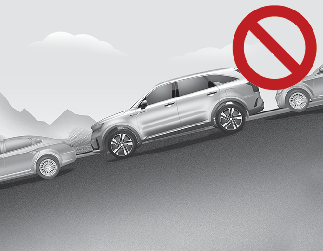
When parking on an incline, directly and manually park the vehicle.
-
Parking on other uneven surfaces
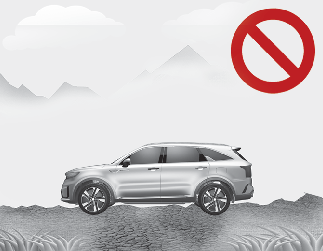
If the vehicle cannot move due to road conditions such as slipperiness or gravel, the Remote Smart Parking Assist is turned off.
-
Parking around the large vehicles
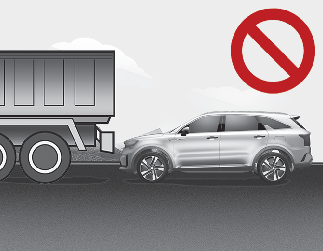
Do not use the Remote Smart Parking Assist around large vehicles with high loads, such as trucks, as contact accidents may occur.
-
Parking conditions around round, square and small pillars
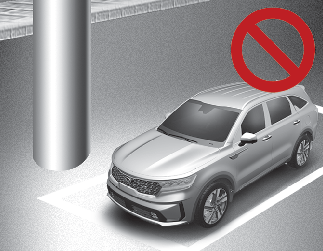
If there are round, square and small pillars or structures around the pillars (such as fire hydrants) near the vehicle, the Remote Smart Parking Assist may experience degraded performance.
-
Parking conditions with vehicles on one side only
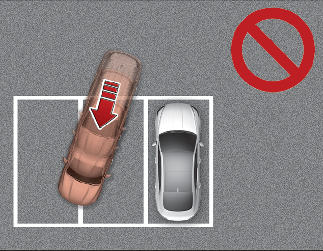
If the driver is operating the Remote Smart Parking Assist in a parking environment where there another vehicle on one side only, the Remote Smart Parking Assist can park over the parking lot line when parking to avoid the parked vehicle.
-
Diagonal parking environment
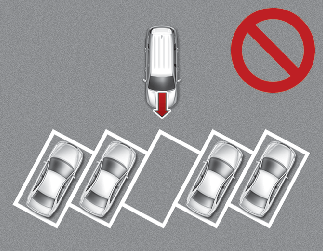
The Remote Smart Parking Assist does not provide parking assistance for diagonal parking spaces. If you enter such a parking space nonetheless, do not use the system as it will be unable to operate normally.
-
Parking in snowy areas
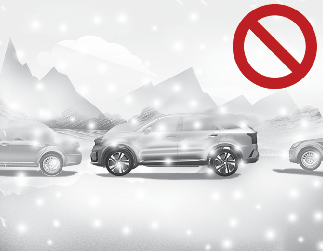
Depending on the amount of snow, the sensing performance of the ultrasonic sensors may deteriorate, and if the vehicle slips whilst navigating parking and exiting spaces or during remote parking assist system operation, the Remote Smart Parking Assist may turn off.

-
When using the Remote Smart Parking Assist, the driver is responsible for safe parking and exiting.
-
When using the Remote Smart Parking Assist, be careful not to collide with people, animals, or objects that could be in the sensor's blind spots.
-
A collision may occur if a person, animal, or object suddenly approaches the vehicle during Remote Smart Parking Assist operation.
-
Do not use the Remote Smart Parking Assist whilst drinking alcohol.
-
Be careful not to let children or other people use the smart keys.
-
If you use the Remote Smart Parking Assist continuously for a long period of time, performance may deteriorate.
-
The Remote Smart Parking Assist does not work for vehicles that are tilted (vehicles requiring wheel alignments). Get your vehicle checked by an authorised Kia dealer/service partner.
-
When braking with either the Remote Smart Parking Assist or by driver operation, a brake operation sound may be generated.
-
The Remote Smart Parking Assist can brake quickly to prevent collisions with people, animals or objects.
-
Use only in large parking spaces where the vehicle can move safely.

-
When the Remote Smart Parking Assist is operating, the 3rd warning sound (continuous sound) from the Parking Distance Warning system indicates that a person, animal, or object is close to the vehicle. At this time, the Remote Smart Parking Assist pauses and the vehicle stops.
-
Depending on the braking conditions, the vehicle may be able to move with the brake light on.