
Driving Rear view
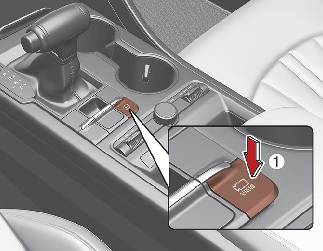
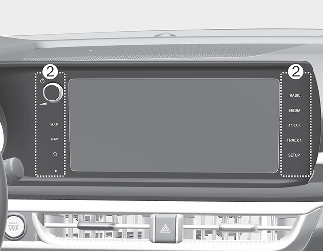
-
The system is activated when the following steps are performed.
-
The Parking/View button (1) is pressed
-
The shift lever is in D (Drive), N (Neutral) or R (Reverse)
-
The system is deactivated when one of the following is performed.
-
The Parking/View button (1) is pressed again
-
One of the infotainment system button (2) is pressed
-
When the vehicle is reversing the screen switches to the parking guidance screen
-
An indicator on the screen appears when:
-
The trunk is open
-
The driver/passenger’s door is open
Operation
With the engine on, press the button (1) while the shift lever is in the D (Driving) or N (Neutral) position.
To deactivate,
Press the button (1) again.
Press the infotainment system operation button (2).
In operation
The display is changed into the rear view when you back up your vehicle.
If the rear view is being displayed while driving, an icon ( ) will appear in the upper right corner of the infotainment system screen, indicating that RVM is in operation.