
Blind-Spot View Monitor (BVM) (if equipped)
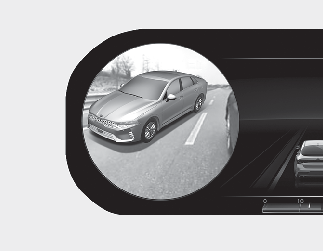
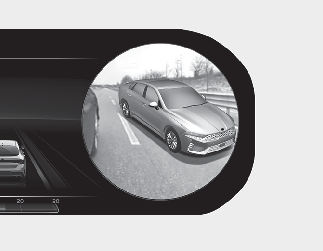
Blind-Spot View Monitor system displays the left or right side of the rear blind spot area of your vehicle in the instrument cluster when the left or right turn signal is on. This system helps you drive safely when changing lanes.
-
The system is activated when the following steps are performed.
-
The engine is running.
-
The turn signal is turned on.
-
-
The system is deactivated when one of the following is performed.
-
The Engine Start/Stop button is in the OFF position.
-
The turn signal is turned off
-
The hazard warning flasher is on
-
A warning screen pops up and takes priority over Blind-Spot View Monitor system.
-

-
This system is a supplemental system only. It is the responsibility of the driver to always check the area around the vehicle before and while making turns or changing lanes.
-
ALWAYS look around your vehicle to make sure there are no objects or obstacles before moving the vehicle in any direction to prevent a collision.
-
Objects are closer than they appear. Failure to visually confirm that is safe to change the lane before doing so may result in crash and serious injury or death.
-
Always keep the camera lens clean. The camera may not work normally if the lens is covered with foreign substance.