
To set speed limit:
 button twice on the steering wheel, to turn the system on.
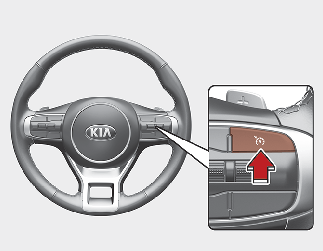
The speed limit indicator light will illuminate.


Move the lever up (to RES+) or down (SET-) and release it immediately. The speed will increase or decrease by 1 km/h.
The set speed limit will display on the instrument cluster.
The set speed limit will be displayed.

To drive over the preset speed limit you must depress hard on the accelerator pedal (more than approximately 80%) until the kick down mechanism works with a clicking noise. Then the set speed limit will blink and chime will sound until you return the vehicle speed within the speed limit.

-
Depressing the accelerator pedal less than approximately 50%, the vehicle will not speed over the preset speed limit but maintain the vehicle speed within the speed limit.
-
A clicking noise heard from the kick down mechanism by depressing the accelerator pedal fully is a normal condition.