
FCA warning message and system control
The driver can select the initial warning activation time in the User Settings in the LCD display or infotainment system display. The options for the initial Forward Collision Warning include Normal or Late initial warning time.
Collision Warning (1st warning)
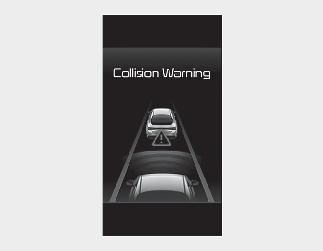
This warning message appears on the LCD display with a warning chime. Additionally, some vehicle system intervention occurs by the engine management system to help decelerate the vehicle.
The Vehicle may slow down slightly.
-
It will operate if the vehicle speed is greater than 6 mph (10 km/h) and less than or equal to 112 mph (180 km/h) on a forward vehicle. (Depending on the condition of the vehicle ahead and the environment surrounding it, the possible maximum operating speed may be reduced.)
-
For pedestrians and cyclists, the vehicle speed is greater than or equal to 6 mph (10 km/h) and less than 53 mph (85 km/h). (Depending on the condition of pedestrians and bike riders and the surrounding environment the possible maximum operating speed may be reduced.)
-
If you select "Warning Only", FCA system activates and produces only warning alarms in accordance with the collision risk levels. You should control the brake directly because FCA system do not control the brake.
Emergency Braking (2nd warning)

This warning message appears on the LCD display with a warning chime. Additionally, some vehicle system intervention occurs by the engine management system to help decelerate the vehicle.
The brake control is maximized just before a collision, reducing impact when it strikes a forward vehicle.
-
It will operate if the vehicle speed is greater than 6 mph (10 km/h) and less than or equal to 47 mph (75 km/h) on a forward vehicle. (Depending on the condition of the vehicle ahead and the environment surrounding it, the possible maximum operating speed may be reduced.)
-
For pedestrians and cyclists, the vehicle speed is greater than or equal to 6 mph (10 km/h) and less than 40 mph (65 km/h). (Depending on the condition of pedestrians and bike riders and the surrounding environment the possible maximum operating speed may be reduced.)
-
If you select "Warning Only", FCA system activates and produces only warning alarms in accordance with the collision risk levels. You should control the brake directly because FCA system do not control the brake.
Brake operation
In an urgent situation, the braking system enters into the ready status for prompt reaction against the driver's depressing the brake pedal.
-
The braking control is automatically deactivated, when the driver sharply depresses the accelerator pedal, or when the driver abruptly operates the steering wheel.
-
FCA brake control is automatically canceled, when risk factors disappear.

-
The driver should always use extreme caution while operating the vehicle, whether or not there is a warning message or alarm from FCA system.
-
If any other warning sound such as seat belt warning chime is already generated, Forward Collision-Avoidance Assist system warning may not sound.

The braking control cannot completely stop the vehicle nor avoid all collisions. The driver should hold the responsibility to safely drive and control the vehicle.
FCA system logic operates within certain parameters, such as the distance from the vehicle or pedestrian ahead, the speed of the vehicle ahead, and the driver's vehicle speed. Certain conditions such as inclement weather and road conditions may affect the operation of FCA system.
Never deliberately drive dangerously to activate the system.