
Surround View Monitor (SVM) (if equipped)
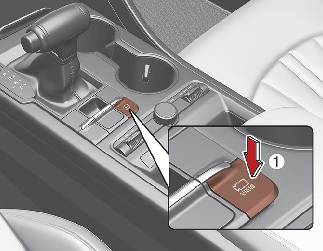
-
The system operates when the following conditions are met.
-
The gear is shifted to R (Reverse) position.
-
The gear is shifted from R (Reverse) to N (Neutral) or D (Driving) position (with the speed of your vehicle less than 15 km/h).
-
The Surround View Monitor (SVM) is ON and the gear is in N (Neutral) or D (Driving) position (with the speed of your vehicle less than 15 km/h).
-
The shift lever is in D (Driving) position and the forward parking distance warning system (if equipped) sends a warning.
However, you need to select ‘Driver Assistance → Parking Safety → Surround View Monitor Auto ON’ on the cluster or from the setting menu of the infotainment system.
-
-
A warning icon is displayed on the SVM screen in the following situations.
-
The trunk is open.
-
The driver’s or the front passenger’s door is open.
-
The outside mirror is folded.
-
-
The rear view monitoring function, that operates while driving, works regardless of the speed of your vehicle in D (Driving) or N (Neutral) mode. For more information, refer to ‘Rear View Monitor’.
-
You can choose between different modes by pressing the view controller button on the Surround View Monitor in the infotainment system.
- Contains Topics
- To deactivate
- Rear View Monitor when in Drive