
LKA operation
To activate/deactivate LKA system:
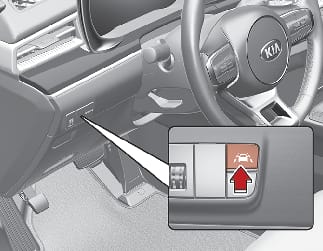
With the ignition switch or ENGINE START/STOP button in the ON position, LKA turns on automatically. The indicator ( ) in the cluster display will initially illuminate white. This indicates LKA system is in the READY but NOT ENABLED state.
If you press Lane Safety button located on the instrument panel on the lower left hand side of the driver, LKA will be turned off and the indicator on the cluster display will go off.
The color of the indicator will change depending on the condition of LKA.
-
White: Sensor does not detect the lane marker or vehicle speed is less than 40 mph (64 km/h).
-
Green: Sensor detects the lane marker and system is able to control the steering.
LKA system function change
The driver can change LKA to Lane Departure Warning system or change LKA system mode from the LCD display or infotainment system display. Go to the 'User Settings → Driver Assistance → Lane Safety → Lane Keeping Assist/Lane Departure Warning/Off'.
If your vehicle is equipped with an infotainment system, you can learn how to setup on the website via QR code in the infotainment quick reference guide.
Lane Keeping Assist
This mode guides the driver to help keep the vehicle within the lanes. It rarely controls the steering wheel, when the vehicle drives well inside the lanes. However, it starts to control the steering wheel, when the vehicle is about to deviate out of the lane.
Lane Departure Warning
Lane Departure Warning alerts the driver with a visual warning and a warning alarm when the system detects the vehicle departing the lane. The steering wheel will not be controlled.
Off
If you select 'Off', LKA system is deactivated.
The color of indicator will change depending on the condition of LKA system.
-
White: Sensor does not detect lane markers or vehicle speed is under 64 km/h (40 mph).
-
Green: Sensor detects lane markers and the system is able to control vehicle steering.

If the indicator (white) is activated from the previous ignition cycle, the system will turn ON without any additional control. If you press Lane Safety button again, the indicator on the cluster goes off.
LKA system operation
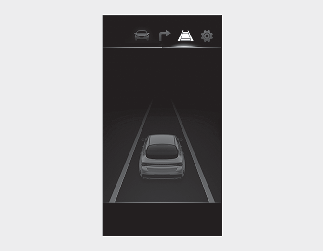
-
To see LKA system screen on the LCD display in the cluster, select Driving Assist mode (
 ). For more details, refer to More Details.
After LKA is activated, if the lane markers are detected, vehicle speed is over 64 km/h (40 mph) and all the activation conditions are satisfied, a green steering wheel indicator will illuminate and the steering wheel will be controlled.
 Warning
Lane Keeping Assist system is a system to help prevent the driver from leaving the lane. However, the driver should not solely rely on the system but always check the road conditions and surroundings when driving.
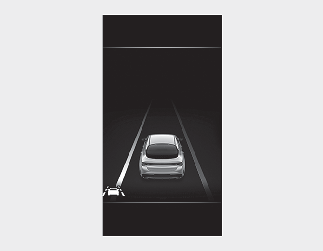
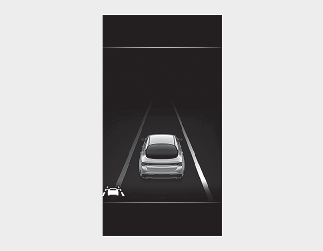
Lane marker undetected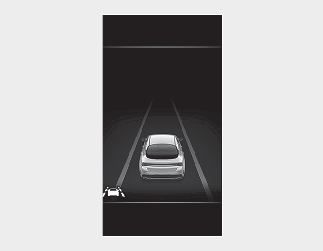 Lane marker detected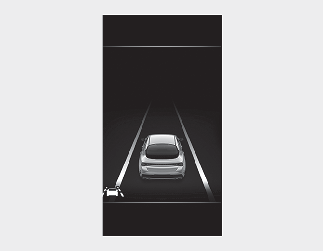
-
If vehicle speed is over 64 km/h (40 mph) and the system detects lane markers, the color of lanes changes from gray to white.
-
Both lane markers must be detected for the system to fully activate.
-
If your vehicle departs from the projected lane in front of you, LKA system operates as follows:
-
A visual warning appears on the cluster LCD display. Either the left lane marker or the right lane marker in the cluster LCD display will blink depending on which direction the vehicle is veering. Also, a warning sound will be heard.
-
LKA system will control the vehicle's steering to prevent the vehicle from crossing the lane marker in below conditions.
-
Vehicle speed is over 64 km/h (40 mph)
-
The system detects both lanes
-
When driving, the vehicle is located between both lanes normally.
-
The steering wheel is not turned suddenly.
-
When both lane markers are detected and all the conditions to activate LKA system are satisfied, a LKA system indicator light will change from white to green. This indicates that LKA system is in the ENABLED state and the steering wheel will be controlled.