
Top View
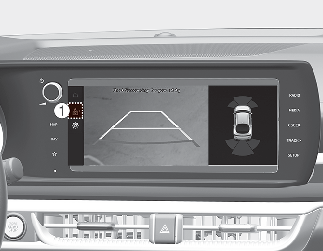
When you touch the icon (1), the top view is displayed on the screen and shows the distance from the vehicle in the back of your vehicle while parking.

NOTICE
The horizontal guide line of the Rear Top View Parking Guidance shows the distance of 0.3m (1 ft.), 1.5 m (4.9 ft.) from the vehicle.