
Infotainment system
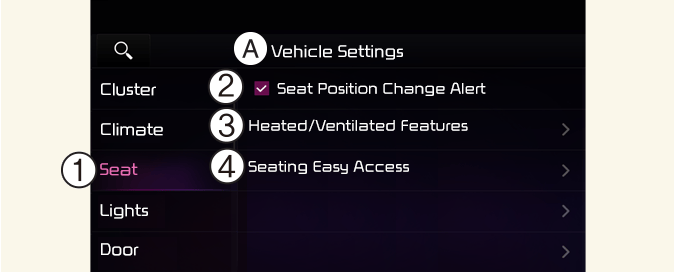
A: Vehicle settings
-
Seat
-
Seat Position Change Alert
-
Heated/Ventilated Features
-
Seating Easy Access
Select Setup → Vehicle → Seat from the Settings menu in the infotainment system screen, you may use various convenience functions.
-
Seat Position Change Alert: When the seat position changes, details of the change are shown with a seat image.
-
Heated/Ventilated Features
-
Auto. Controls That Use Climate Control Settings (for driver's seat): The seat temperature is automatically controlled.
-
-
Seating Easy Access
-
Seat Slide Easy Access: the seat automatically moves when the driver enters or leaves the vehicle may be selected.
-
If your vehicle is equipped with an infotainment system, you can learn how to setup on the website via QR code in the infotainment quick reference guide.
* The information provided may differ according to which functions are applicable to your vehicle.