
LCD display modes
|
|
||||||
|---|---|---|---|---|---|---|
 Driving Assist |
 Trip Computer |
 Turn By Turn (TBT)* |
 User Settings |
 Information |
 Master Warning |
|
|
Up/Down |
Lane Keeping Assist Blind-Spot Collision-Avoidance Assist* Smart Cruise Control* Lane Following Assist |
Drive Info |
Route Guidance |
Driver Assistance* |
TPMS |
The Master Warning mode displays warning messages related to the vehicle when one or more systems is not operating normally. |
|
Driver Attention Warning |
Accumulated Info |
Destination Info |
Cluster |
Engine Temperature |
||
|
Since Refueling |
Lights* |
|||||
|
Energy Flow |
Door* |
|||||
|
Digital Speedometer* |
Convenience* |
|||||
|
Units |
||||||
|
Language |
||||||
|
Reset |
||||||
 Mode
Mode


|
|
|||
|---|---|---|---|
|
Driving Assist |
Trip Computer |
Turn By Turn (TBT)* |
|
|
Up/Down |
Lane Keeping Assist Blind-Spot Collision-Avoidance Assist* Smart Cruise Control* Lane Following Assist Highway Driving Assist* |
Range*1 |
Route Guidance |
|
Driver Attention Warning |
Drive Info |
Destination Info |
|
|
Accumulated Info |
|||
|
Since Refueling |
|||
|
Energy Flow |
|||
|
TPMS |
|||
|
Engine Temperature |
|||
|
Digital Speedometer |
|||
The information provided may differ depending on which functions are applicable to your vehicle.
* : if equipped

Keep the engine running when configuring the display settings to prevent the battery from discharging.
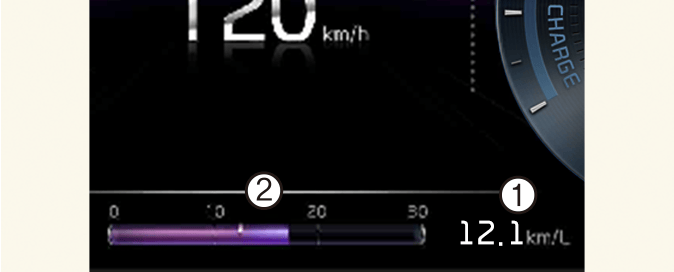
Fuel economy
-
Average fuel economy
-
Instant fuel economy
1. Average fuel economy
The average fuel economy is calculated by the total driving distance and fuel consumption since the last average fuel economy reset.
-
At vehicle start: The information will automatically reset when the driver's door is opened after the vehicle is turned off, or approximately 3 minutes have passed after the vehicle is turned off.
-
After refueling: After refueling more than 6 liters (1.5 gallons) and driving over 1 km/h (1 mph), the vehicle will reset to default automatically.
-
Manually: Press and hold the OK button on the steering wheel when the average fuel economy is displayed.
2. Instant fuel economy
Displays the instant fuel economy during the last few seconds when the vehicle speed is more than approximately 10 km/h (6 mph).
This information is always displayed at the bottom center of the Full LCD cluster.
Driving Assist mode 
This mode displays the state of:
-
Lane Keeping Assist
Blind-Spot Collision-Avoidance Assist
Smart Cruise Control
Lane Following Assist
-
Driver Attention Warning
-
Intelligent Speed Limit Assist
Trip computer mode 
* You may change through items in the following order.
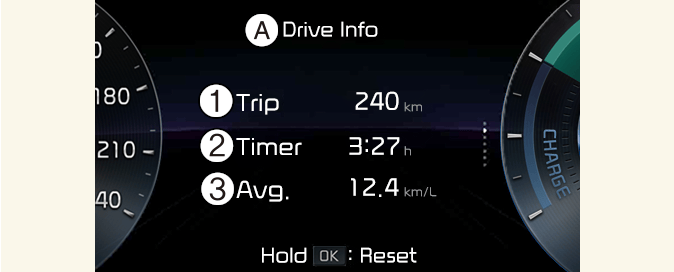
Drive info
A: Drive info
-
Accumulated trip distance
-
Total driving time
-
Average fuel efficiency
The information after one ignition cycle.
Drive Info screen will reset when the driver's door is opened after turning off the vehicle, or the vehicle is turned on after 3 minutes have passed.
To manually reset the information, press and hold the OK button on the steering wheel when viewing the Drive info.
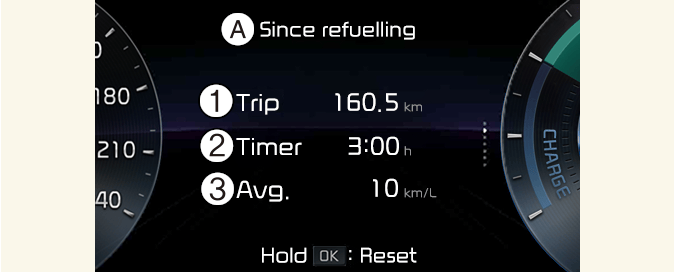
Since refueling
A: Since refueling
-
Accumulated trip distance
-
Total driving time
-
Average fuel efficiency
The information after refueling.
To manually reset the information, press and hold the OK button on the steering wheel when viewing the Since refueling.
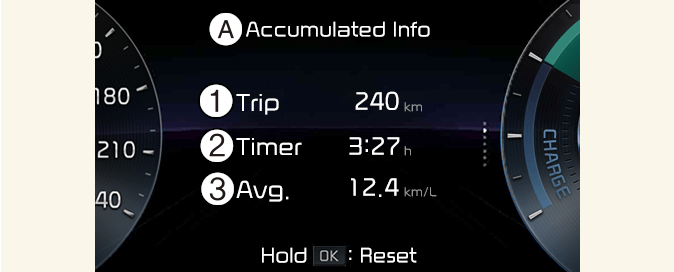
Accumulated info
A: Accumulated info
-
Accumulated trip distance
-
Total driving time
-
Average fuel efficiency
The information is accumulated starting from the last reset.
To manually reset the information, press and hold the OK button on the steering wheel when viewing the Accumulated Info.
-
The average fuel economy is not displayed for more accurate calculation if the vehicle does not drive more than 10 seconds or approximately 50 m (0.03 miles) since the vehicle is in ON position.
-
Fuel efficiency is calculated after the vehicle has run for more than 300 meters.
-
The information will be accumulated even if the engine is running and the vehicle is not in motion.
Digital speedometer
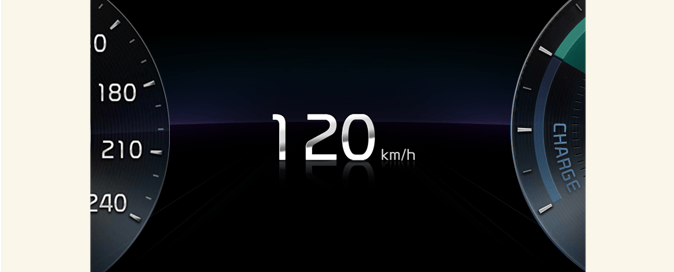
Indicates the speed of the vehicle.
Energy flow
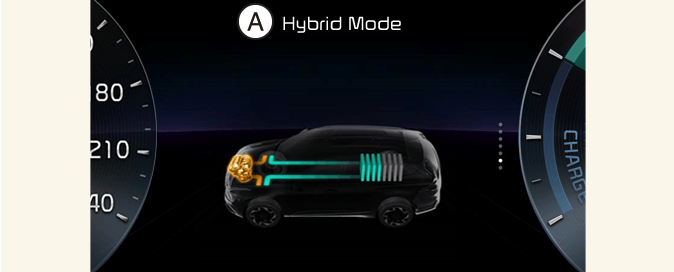
A: Hybrid Mode
The hybrid system informs the driver about its energy flow in various operating modes. While driving, the current energy flow is specified in 11 modes.
* For more details, refer to More Details.
Engine coolant temperature
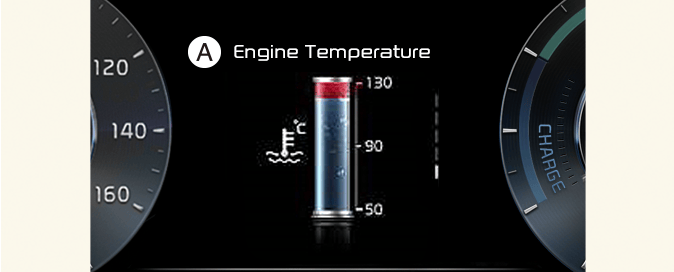
A: Engine temperature
This gauge indicates the temperature of the engine coolant when the engine is running.
When the gauge indicator gets out of the normal range, toward the "130 or H(Hot)" position, it indicates over heating of the engine. It may damage the engine.Do not continue driving with theoverheated engine.
Turn By Turn (TBT) mode 
This mode displays the Navigation status.
Information mode 
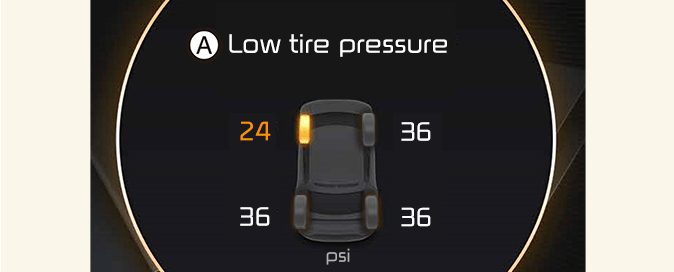
Master warning mode 
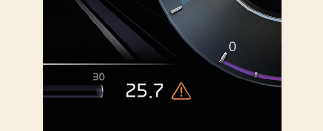
This mode informs you of the following situations:
-
Driver assistance system malfunction, limitation or radar/camera blockage
-
LED headlamp malfunction
-
Lamp malfunction
-
TPMS failure, low tire pressure, etc.
At this time, the Master warning light ( ) will appear. If the warning situation is solved, the master warning light will be turned off and the Master Warning icon
will disappear.
) will appear. If the warning situation is solved, the master warning light will be turned off and the Master Warning icon
will disappear.
Service Interval
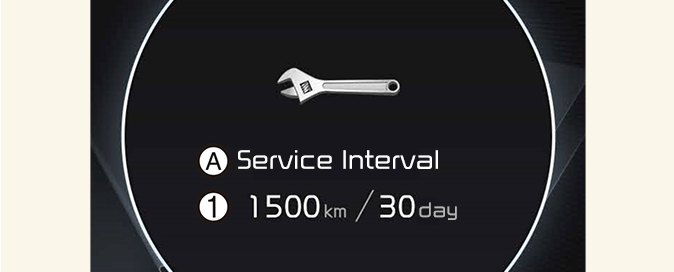
A: Service Interval
-
Service interval schedule
It calculates and displays when you need a scheduled maintenance service (mileage or days).
To reset the service interval, select Cluster → Service Interval → Reset from the Settings menu.
-
If the remaining mileage or time reaches 1,500 km (900 miles) or 30 days, the message Service in is displayed for several seconds each time you set the vehicle to the ON position.
-
If you do not have your vehicle serviced according to the already inputted service interval, Service required message is displayed for several seconds each time you set the vehicle to the ON position.
-
If any of the following conditions occurs, the mileage and days may be incorrect.
-
The battery connector is disconnected.
-
The battery is discharged.
-
User settings mode
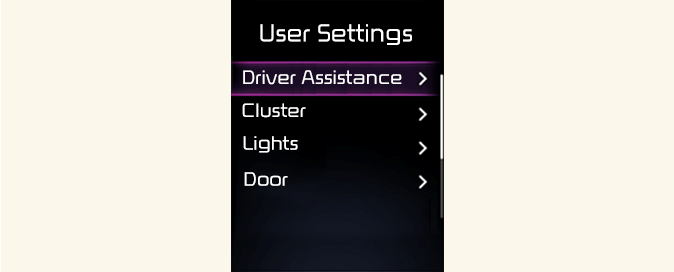
In this mode, you can change the settings of the instrument cluster, doors, lights, etc.
* The information provided may differ depending on which functions are applicable to your vehicle.
1. Driver Assistance (if equipped)
|
Items |
Explanation |
|---|---|
|
Speed Limit |
|
|
Warning Timing |
|
|
Warning Methods |
|
|
Driver Attention Warning |
|
|
Forward safety |
|
|
Lane safety |
|
|
Blind-spot safety |
|
|
Parking safety |
|
2. Cluster (if equipped)
|
Items |
Explanation |
|---|---|
|
Theme Selection |
|
|
Wiper/Lights Display |
Activate |
|
Traffic Signs |
Activate |
|
Icy Road Warning |
Activate |
|
Cluster Voice Guidance Volume |
|
|
Welcome Sound |
Activate |
3. Lights (if equipped)
|
Items |
Explanation |
|---|---|
|
Illumination |
|
|
One Touch Turn Signal |
|
|
Ambient Brightness |
|
|
Ambient Light Color |
|
|
Headlight Delay |
Activate |
|
High Beam Assist |
Activate |
4. Door (if equipped)
|
Items |
Explanation |
|---|---|
|
Automatically Lock |
|
|
Automatically Unlock |
|
|
2 Press Unlock |
Activate |
|
Power Tailgate |
Activate |
|
Power Tailgate Opening Speed |
|
|
Power Tailgate Opening Height |
|
|
Smart Tailgate |
Activate |
|
Remote Window Control (if equipped) |
Activate |
-
Automatically Lock
-
Enable On Shift: All doors will be automatically unlocked when the vehicle is shifted to P (Park) to R (Reverse), N (Neutral), or D (Drive). (Activated with the vehicle ON position)
-
Enable On Speed: All doors will be automatically locked when the vehicle speed is over 15 km/h (9 mph).
-
-
Automatically Unlock
-
On Shift to P: All doors will be automatically unlocked if the gear is shifted to the P (Park) position. (With the Engine ON, it is activated.)
-
Vehicle Off/On key out (if equipped): All doors will be automatically unlocked when the ignition key is removed from the ignition switch or the ENGINE START/STOP button is set to the OFF position.
-
5. Convenience (if equipped)
|
Items |
Explanation |
|---|---|
|
Seat Easy Access |
|
|
Rear Occupant Alert |
Activate |
|
Service Interval |
|
|
Welcome Mirror/Light |
Activate |
|
Wireless Charging System |
Activate |
|
Auto rear wiper (in R) |
Activate |
6. Units
|
Items |
Explanation |
|---|---|
|
Speed Unit |
|
|
Temperature Unit |
|
|
Fuel Economy Unit |
|
|
Tire Pressure Unit |
|
7. Language
|
Items |
Explanation |
|---|---|
|
Language |
Activate |
8. Reset
|
Items |
Explanation |
|---|---|
|
Reset |
Reset |