

With the smart key
With the smart key, you can lock and unlock the vehicle doors and liftgate. You can also start the engine. Refer to the following sections for more details.
 OLQ2A045001 |
Locking
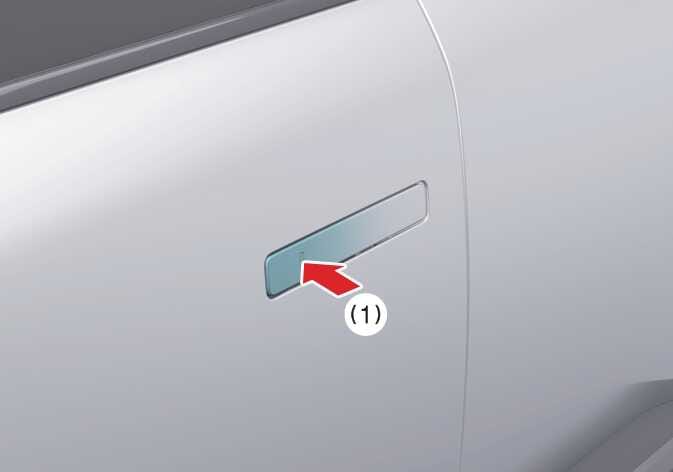
With all doors closed and any door unlocked, touch the door lock/unlock sensor of the front driver side door handle to lock all the doors. If all doors and the engine hood are closed, the hazard warning lights will blink once to indicate that all doors are locked.
Unlocking
-
Touch the lock/unlock sensor on the front door handle (the engraved part) while carrying the smart key with you, all doors will unlock. The hazard warning lights blink twice and the chime will sound twice. to indicate that all doors are unlocked.
-
Pull the outside door handle to open the door.
-
Touch the lock/unlock sensor on the front door handle (the engraved part) while carrying the smart key with you, the driver’s door will unlock.
-
Touch the door lock/unlock sensor on the driver side door handle once more within 4 seconds to unlock all doors. The hazard warning lights blink twice and chime will sound.
To activate Approach unlock system for only the driver’s seat, select in the infotainment system screen.
The outside door handle will slide out and the doors will unlock when the driver approaches the vehicle possessing the smart key.
The driver can activate/deactivate the approach unlock system on the infotainment screen.
To activate Approach unlock system for only the driver’s seat, select in the infotainment system screen.
-
The door handle touch sensor will only operate when the smart key is within 40 inches (1 m) of the outside door handle.
-
If you try to lock the doors using the door handle button, the doors will not lock, and the chime will sound for 3 seconds under the following circumstances:
-
The smart key is in the vehicle.
-
The vehicle is in the ACC or ON position.
-
Any door other than the liftgate is open.
After you press the door lock/unlock button to unlock, the doors will lock automatically unless you open any door within 30 seconds.
-
When washing the vehicle
-
Keep the door locked with the outside door handle closed.
-
The door handle may pop out if moisture or a cloth comes into contact with the lock/unlock sensor. Stay the key away at least 78 inches (2 m) from the vehicle to prevent the outside door handle operates.
Leave the key inside the vehicle, keeping the vehicle in acc or on mode when there is an unintended warning sound.
-
When entering an automatic car wash, ensure the vehicle is ON position and shift the gear to the N (Neutral) position.
-
Keep the doors locked when you are inside the vehicle with the smart key in your possession.
-
If the smart key is not in the vehicle, keep the doors locked and stay the smart key away at least 78 inches (2 m) from the vehicle to prevent the outside door handle operates.
When you use automatic car wash with the door handles out, door handles can be damaged or the doors can be opened.