

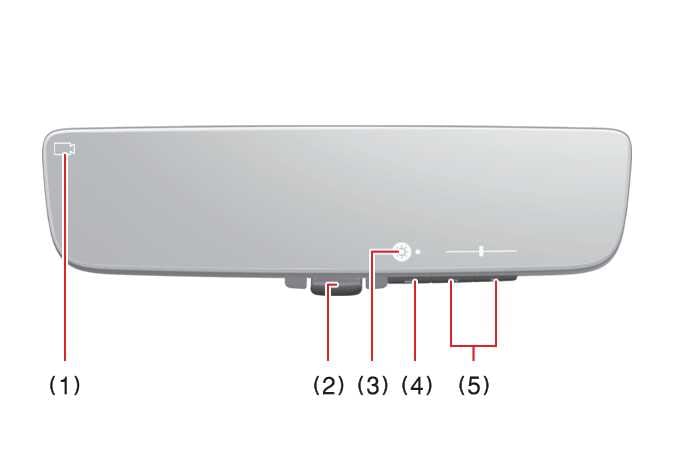
System component
 OLQ2A055039 |
-
Camera indicator
Indicates that the camera is operating normally.
-
Lever
Operate to change between digital mirror mode and optical mirror mode.
-
Icon display area
Displays icons, adjusting Brightness & Tilt
-
Menu button
Press to display the icon display area and select the item you want to adjust (Brightness & Tilt).
-
Adjust button
Press to change the setting of the item you want to adjust.