

Canceling AUTO HOLD function
 OLQ2A095011 |
-
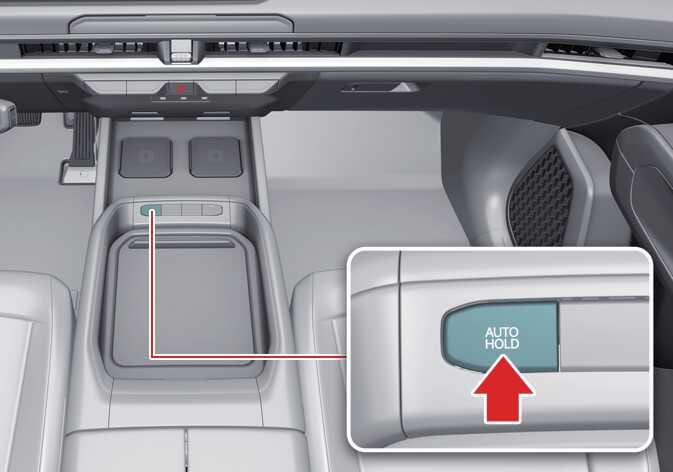
To cancel AUTO HOLD function, press the AUTO HOLD button. The AUTO HOLD indicator turns OFF.
-
To cancel AUTO HOLD function when your vehicle is at a standstill, press the AUTO HOLD while engaging the brake pedal.
To reduce the risk of an accident, do not activate AUTO HOLD while driving downhill, backing up, or parking your vehicle.
-
If the AUTO HOLD indicator light turns yellow, the AUTO HOLD function is not working properly. Have your vehicle inspected by an authorized Kia dealer.
-
If there is a malfunction with the driver side door or hood open detection system, the AUTO HOLD function may not work properly. Have your vehicle inspected by an authorized Kia dealer.
-
You may hear a click or electric brake motor whine sound while engaging or releasing the EPB. This is normal and indicates that the EPB is functioning properly.
-
AUTO HOLD does not engage under the following are conditions (the AUTO HOLD indicator light does not turn green, and the AUTO HOLD function remains in standby):
-
You open the driver side door.
-
You open the hood.
-
You shift to P (Park).
-
You apply the EPB.
-
-
AUTO HOLD automatically switches to EPB under any of the following conditions (the AUTO HOLD indicator light remains white and the EPB applies automatically):
-
You open the driver side door.
-
You open the hood.
-
Your vehicle is at a standstill for more than 10 minutes.
-
Your vehicle is at a standstill on a steep slope.
-
You moved your vehicle for a few seconds.
In these cases, the brake warning light appears, the AUTO HOLD indicator light changes from green to white, a warning sounds, and a message appears to inform you that the EPB has been applied automatically. Before driving again, engage the brake pedal, check your surroundings, and use the EPB switch to manually release the parking brake.
-