

Warning Methods
 OCL4M055118N |
|
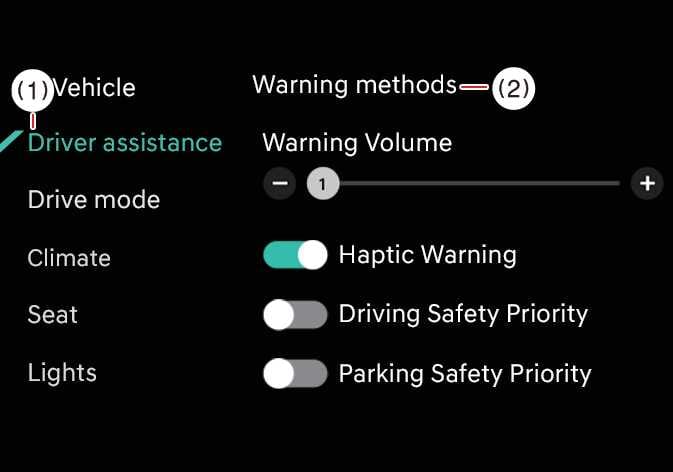
To change the Warning Methods settings while the vehicle is ON, tap on the infotainment system screen. You can change the following settings:
-
Warning Volume: Adjusts the volume of the warning sound.
-
Haptic Warning: Turns ON the steering wheel vibration warning.
-
Lane Safety Warning Sound: Turns OFF the Lane Safety Warning Sound, when Haptic Warning is ON.
-
Driving Safety Priority: Lowers all other audio volumes when the Driving Safety system sounds a warning.
-
Your Warning Methods settings may apply to the Warning Methods of other driver assistance systems.
-
Warning Methods maintain their last settings when you turn OFF and restart the vehicle.
-
The Warning Methods setting menu may not be available on all vehicles.
-
The Lane Safety Warning Sound can be set when both the Warning Volume and the Haptic Warning are on.