

Auto set speed change (if equipped with navigation)
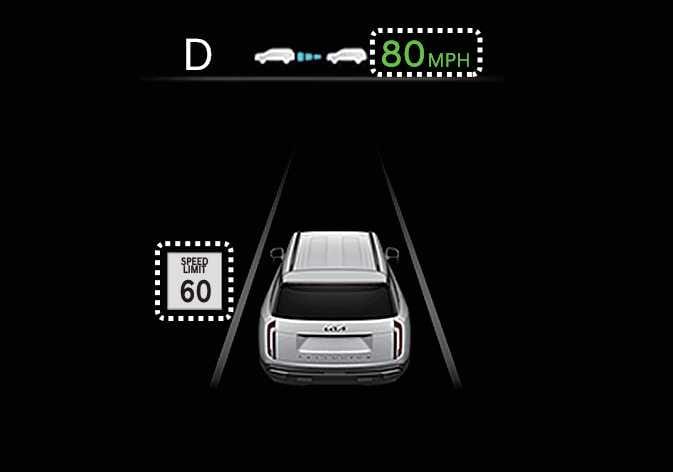 OLQ2A005022 |
When you operate Manual Speed Limit Assist or Smart Cruise Control, if the speed you set is the same as the posted speed limit, the set speed automatically adjusts according to the speed limit afterward. The auto set speed change function operates on roads with a speed limit of above 45 mph (70 km/h). When you activate the function, the set speed displays in green on the instrument cluster.
-
When you drive at a speed lower than the speed limit, set the offset below “0”, or push the (
 ) switch to decrease your set speed.
 -
Even after you change the set speed according to the posted speed limit, you can still drive the vehicle over the speed limit. Always check the traffic conditions and decelerate manually when necessary.
-
Intelligent Speed Limit Assist operates using the speed unit you set in the instrument cluster. If you set the speed unit to a different unit than the one used in your country, Intelligent Speed Limit Assist may not operate properly.
-
For more information about Manual Speed Limit Assist operation, refer to Manual Speed Limit Assist (MSLA).
-
For more information about Smart Cruise Control operation, refer to Smart Cruise Control (SCC).