

Driver Attention Warning settings
 OLQ2A005098 |
|
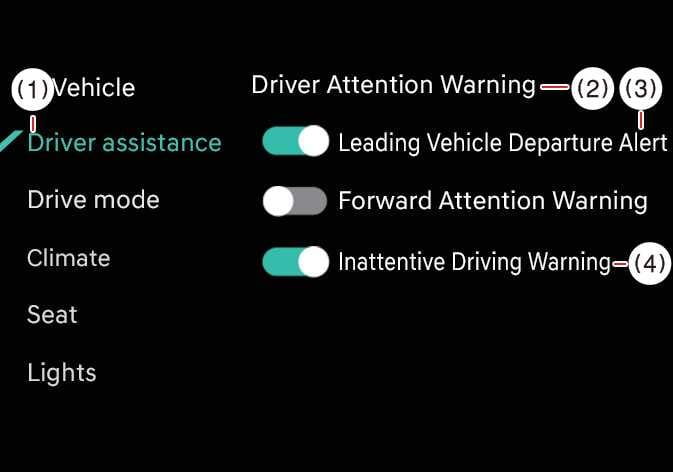
While the vehicle is ON, tap on the infotainment system screen.
-
Leading Vehicle Departure Alert: Driver Attention Warning will inform the driver when a detected vehicle in front departs from a stop.
-
Inattentive Driving Warning: Inattentive Driving Warning of DAW can be turned on or off.