

Limitations of Remote Smart Parking Assist
In the following circumstances, function performance to park or exit the vehicle may be limited, there may be a risk of collision, or Remote Smart Parking Assist may turn off. Park or exit the vehicle manually if necessary.
-
Accessories are attached to the steering wheel or steering components are modified
-
The vehicle is installed with a snow chain, spare tire or different size wheel
-
Tire pressure is lower or higher than the standard tire pressure
-
Your vehicle is loaded with cargo longer or wider than your vehicle or a trailer is connected to your vehicle
-
Wheels are misaligned or suspension components are modified
-
Your vehicle is leaning severely to one side
-
Your vehicle is equipped with a trailer hitch
-
The license plate is not installed in the original location
-
There is a person, animal or object above or below the ultrasonic sensor when Remote Smart Parking Assist is activated
-
The parking space is curved or diagonal
-
There is an obstacle such as a person, animal or object (trash can, bicycle, motorcycle, shopping cart, narrow pillar etc.) near the parking space
-
There is a circular pillar or narrow pillar, or a pillar surrounded by objects such as fire extinguisher, etc. near the parking space
-
The road surface is bumpy (curbstone, speed bump, etc.)
-
The road is slippery
-
The parking space is near a large vehicle, or one with higher ground clearance, such as a truck, etc.
-
The parking space is Inclined
-
There is heavy wind
-
Operating Remote Smart Parking Assist on uneven roads, gravel roads, bushes, etc.
-
The performance of the ultrasonic sensor is affected by extremely hot or cold weather
-
The ultrasonic sensor is covered with snow or water
-
An object that generates ultrasonic waves is nearby
-
A wireless device with a transmission function operates near the ultrasonic sensors
-
Your vehicle is affected by another vehicle's Parking Distance Warning
-
The sensor is mounted or positioned incorrectly due to an impact to the bumper
-
When the ultrasonic sensor cannot detect the following objects: Sharp or slim objects, such as ropes, chains or small poles
-
Objects smaller than 40 inches (100 cm) in length and narrower than 6 inches (14 cm) in diameter
-
Objects which tend to absorb sensor frequency, such as clothes, spongy material or snow
-
A trailer hitch installed on the vehicle
Remote Smart Parking Assist may not operate normally under the following circumstances:
|
Limitations |
Details |
|---|---|
 OLQ2A105072 |
Park manually when parking on inclines. |
 OLQ2A105073 |
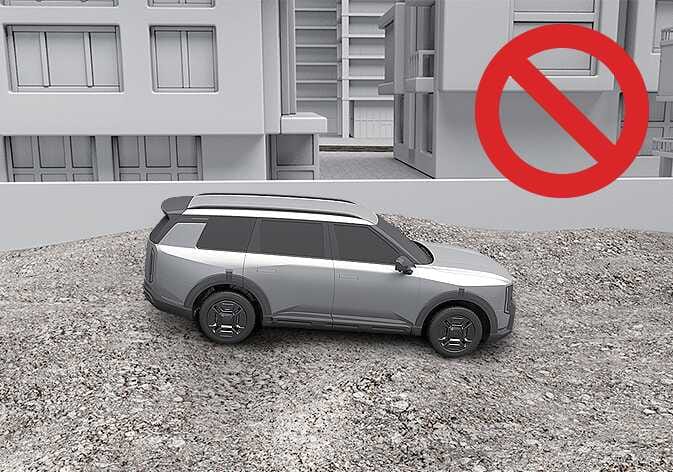
Remote Smart Parking Assist may cancel when the vehicle slips, or the vehicle cannot move due to road conditions such as pebbles or fragmented stones. |
 OLQ2AH105008 |
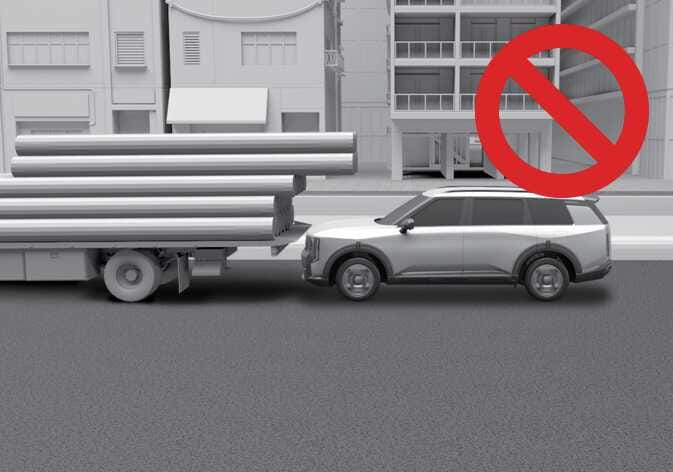
Using Remote Smart Parking Assist near obstacles or structures located at heights that sensors may have difficulty detecting, such as truck cargo beds, may result in a collision. Park or exit the vehicle manually instead of using Remote Smart Parking Assist. |
 OLQ2A105075 |
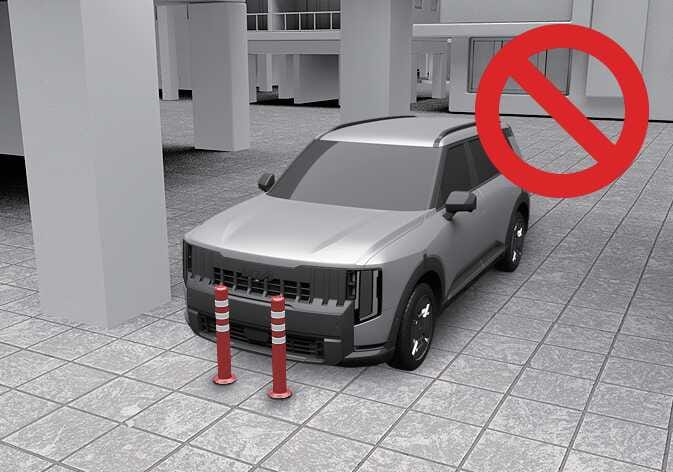
Remote Smart Parking Assist performance may reduce or collision with an obstacle may occur when there is a narrow object, circular pillar, square pillar, or a pillar surrounded by objects such as a fire extinguisher, etc. near the parking space. The driver should park the vehicle manually. |
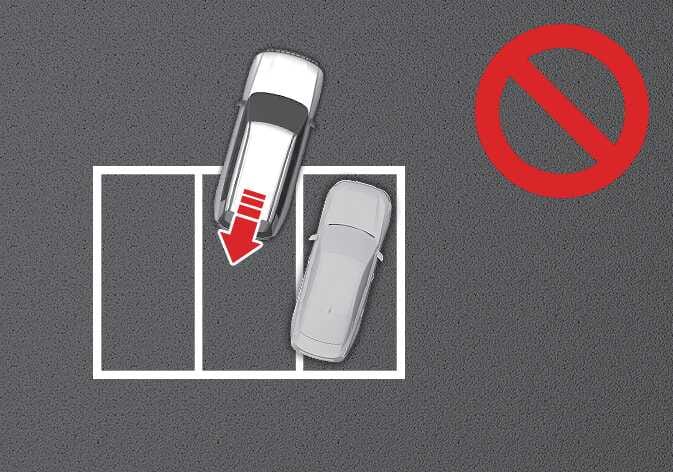 OLQ2A105076 |
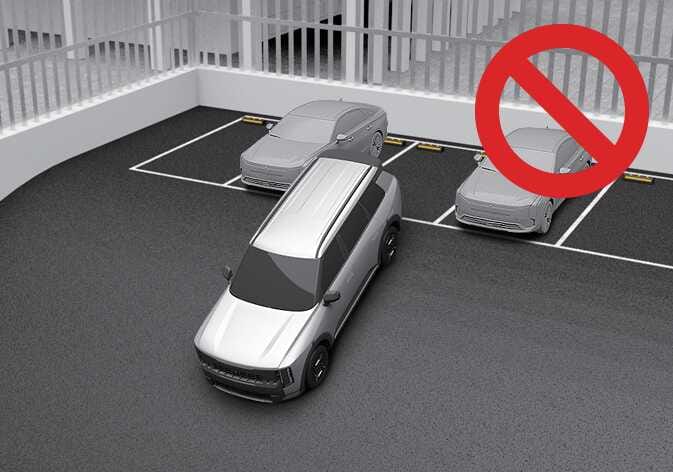
If Remote Smart Parking Assist is used, when parking in a parking space with a vehicle only on one side, your vehicle may cross the parking line to avoid the parked vehicle. |
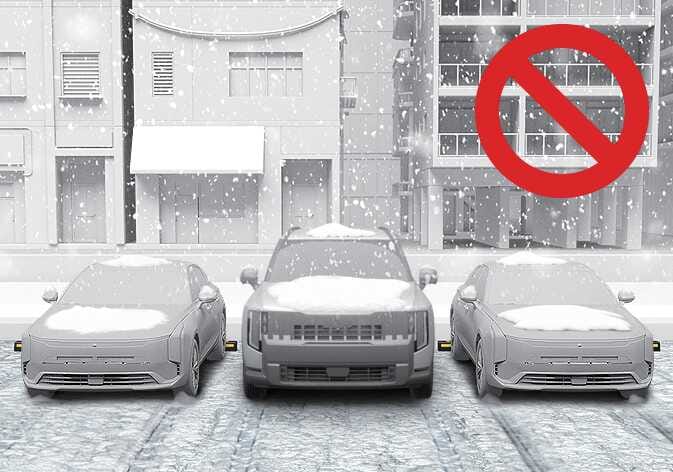 OLQ2A105079 |
Snow may interfere with sensor operation, or Remote Smart Parking Assist may cancel if the road is slippery while parking. |
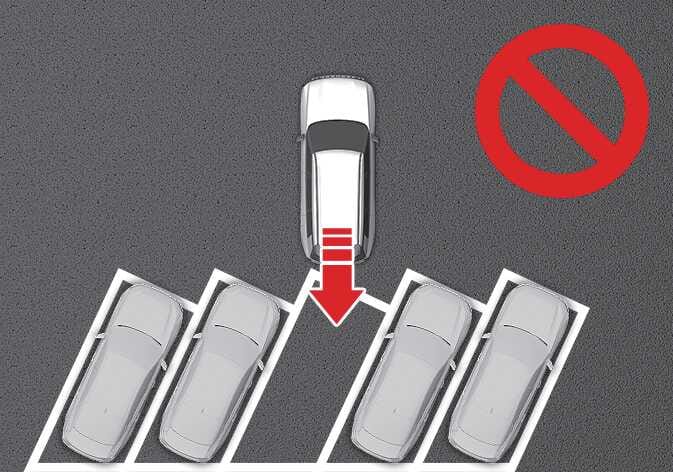 OLQ2A105078 |
Remote Smart Parking Assist does not provide diagonal parking. Even if your vehicle was able to enter the parking space, do not use the function because the function cannot operate normally. |
-
It is the driver's responsibility to park and exit safely. Use Remote Smart Parking Assist while checking your surroundings at all times when parking and exiting. Under various environmental conditions, braking control may not operate because people, animals, other vehicles or objects around the vehicle may not be properly detected. If there is a risk of collision with a nearby obstacle, release the control button to stop the function.
-
When using Remote Smart Parking Assist, stay out of the way in the direction the vehicle moves for your safety.
-
Always check surroundings when using Remote Smart Parking Assist. You may collide with pedestrians, animals, or objects if they are near the sensor or are in the sensor's blind spot area.
-
A collision may occur if a pedestrian, animal, or object suddenly appears while Remote Smart Parking Assist is operating.
-
Do not use Remote Smart Parking Assist when under the influence of alcohol.
-
Do not let children or other people use the smart key.
-
If Remote Smart Parking Assist is used continuously for a long period, it may adversely affect Remote Smart Parking Assist performance.
-
Remote Smart Parking Assist may not operate normally if the vehicle needs wheel alignment adjustment such as when the vehicle tilts to one side. Have your vehicle inspected by an authorized Kia dealer.
-
Noise may be heard when braking occurs by Remote Smart Parking Assist or when the brake pedal is depressed by the driver.
-
Remote Smart Parking Assist may suddenly apply the brake to avoid collision.
-
Use Remote Smart Parking Assist only in a parking space that is large enough for the vehicle to move safely.
-
Driving with the liftgate open is considered abnormal operation. Please exercise caution for your safety.
-
Always keep the detection sensors clean.
-
When cleaning the sensor surface, use only mild soap or a neutral detergent, and rinse thoroughly with water. Do not use acidic or alkaline cleaners.
-
Do not spray high pressure water directly onto the detection sensors or their surrounding areas during car washing. Impact from high-pressure water may cause the sensors to malfunction.
-
Do not cover the area around the detection sensors with external objects (such as stickers or bumper guards), and do not paint the bumper. The performance of the Remote Smart Parking Assist may be degraded.
-
Do not disassemble or apply impact to the detection sensor components.
-
Be careful not to subject the detection sensors to impact. If the sensors become misaligned due to impact, the Remote Smart Parking Assist may not operate properly. If a sensor is damaged by impact, have it inspected by an authorized Kia dealer.
-
If the bumper is damaged, replaced, or repaired, the Parking Distance Warning may not function properly.
-
The Remote Smart Parking Assist may turn off due to strong electromagnetic interference.
-
Excessive sound from the audio system may prevent you from hearing the warning sound. Adjust the in-vehicle volume appropriately and always remain attentive.
-
To prevent a collision, sudden braking and resulting brake noises may occur.
-
If the 3rd stage warning (continuous beep) of the Forward/Reverse Parking Distance Warning sounds while Remote Smart Parking Assist is operating, it means the obstacle detected is close to your vehicle. At this time, Remote Smart Parking Assist will temporarily stop operating. Make sure there are no pedestrians, animals, or objects around your vehicle.
-
Depending on brake operation, the stop lights may come on while the vehicle is moving.
-
If the vehicle is remotely started that has been parked in cold weather for a long time, the operation of Remote Parking function may be delayed or canceled depending on vehicle condition.