
PDW settings
Warning Methods
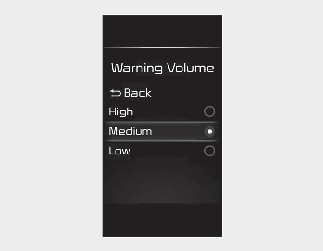
You can adjust the Warning Methods with the ignition switch or ENGINE START/ STOP button in the ON position.
-
Warning Volume : Select 'User Settings → Driver Assistance → Warning Volume' on the LCD display or 'Settings → Vehicle → Driver Assistance → Warning Methods' on the Infotainment system.

-
Ensure that Warning Methods you have set may apply to the Warning volume of other ADAS.
-
Warning Methods will maintain its last setting even if your vehicle is restarted.
-
The setting menu may not be available for your vehicle depending on the vehicle features and specifications.
Operation of PDW
PDW will operate under the following conditions:
-
Shift the gear to R (Reverse).
|
Distance from object |
Warning indicator |
Warning sound |
|---|---|---|
|
24~48 in (60~120 cm) |
 |
Buzzer beeps intermittently |
|
12~24 in (30~60 cm) |
 |
Beeps more frequently |
|
within 12 in (30 cm) |
 |
Beeps continuously |
PDW Malfunction and Precautions
After starting your vehicle, a beep will sound once when the gear is shifted to R (Reverse) to indicate PDW is operating normally. If one or more of the following occurs, first check whether the ultrasonic sensor is damaged or blocked with foreign material. If it still does not work properly, have the vehicle inspected by an authorized Kia dealer.
-
The audible warning does not sound.
-
The buzzer sounds intermittently.
-
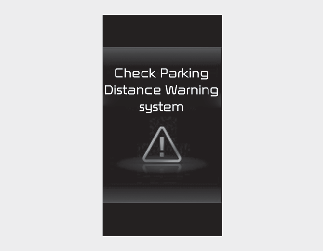
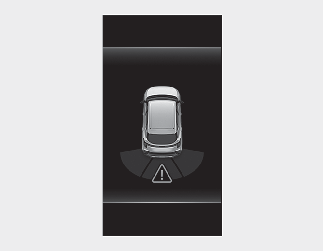
The warning message appears on the instrument cluster.
Limitations of PDW
PDW may not operate normally when:
-
Moisture is frozen to the sensor (PDW will operate normally when it is melted.)
-
Sensor is covered with foreign material, such as snow or water (Reverse Parking Distance Warning will operate normally when such foreign material are removed.)
-
The weather is extremely hot or cold
-
The sensor or sensor assembly is disassembled
-
The surface of the sensor is pressed hard or an impact is applied with a hard object
-
The surface of the sensor is scratched with a sharp object
-
The sensors or its surrounding area is directly sprayed with high pressure washer
PDW may malfunction when:
-
Heavy rain or water spray is present
-
Water flows on the surface of the sensor
-
Affected by another vehicle's sensors
-
The sensor is covered with snow
-
Driving on uneven road, gravel roads or bushes
-
Objects that generate ultrasonic waves are near the sensor
-
Installing the license plate in a different location
-
Your vehicle bumper height or ultrasonic sensor installation has been modified
-
Attaching equipment or accessories around the ultrasonic sensors
The following objects may not be detected:
-
Sharp or slim objects, such as ropes, chains or small poles.
-
Objects which tend to absorb sensor frequency, such as clothes, spongy material or snow.
-
Objects smaller than 100 cm (40 in) in length and narrower than 14 cm (6 in) in diameter.
-
Pedestrians, animals or objects that are very close to the ultrasonic sensors

-
PDW is a supplemental function. The operation of PDW can be affected by several factors (including environmental conditions). It is your responsibility to always check the rear view before and while parking.
-
Your vehicle warranty does not cover any accidents or damage to the vehicle due to the malfunction of PDW.
-
Pay close attention when driving near objects, pedestrians, and especially children. Some objects may not be detected by the ultrasonic sensors, due to the objects' distance or size, which can limit the effectiveness of the sensor.
-
PDW indicator may not occur sequentially depending on vehicle speed or obstacle shape.
-
If Reverse PDW needs repair, have the vehicle inspected by an authorized Kia dealer.