
ISLA malfunction and limitations
ISLA malfunction
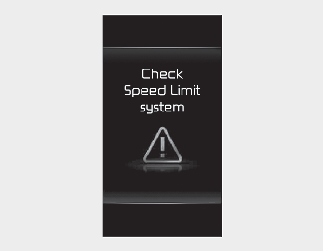
When ISLA is not working properly, the warning message will appear on the instrument cluster for several seconds, and the
master ( ) warning light and speed limit warning light (
 ) will appear on the instrument cluster. In this case, have the vehicle inspected by an authorized Kia dealer.
ISLA disabled
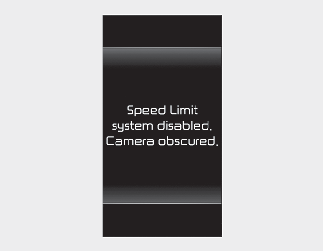
When the windshield where the front view camera is located is covered with foreign material, such as snow or rain, it can
reduce the detecting performance and temporarily limit or disable ISLA. The warning message and speed limit warning light
() will appear on the instrument cluster.
ISLA will operate properly when snow, rain or foreign material is removed. Always keep it clean.
If ISLA does not operate properly after it is removed, have your vehicle inspected by an authorized Kia dealer.

Even though the warning message or warning light does not appear on the instrument cluster, ISLA may not operate properly.
Limitations of ISLA
ISLA may not operate properly, or it may operate unexpectedly under the following circumstances:
-
The road sign is contaminated or indistinguishable
-
The road sign is difficult to see due to bad weather, such as rain, snow, fog, etc.
-
The road sign is partially obscured by surrounding objects or shadow
-
-
The road signs do not conform to the standard
-
The text or picture on the road sign is different from the standard
-
The road sign is installed between the main line and the exit road or between diverging roads
-
A sign is attached to another vehicle
-
-
The distance between your vehicle and the road signs is far
-
Your vehicle encounters appearing road signs
-
ISLA incorrectly recognizes numbers or pictures in the street signs or other signs as the speed limit
-
A road sign near the road you are driving is detected
-
Multiple signs are installed close together
-
Other Auxiliary signs or commercial signs are placed around the speed limit signs.
-
The minimum speed limit sign is mis-recognized
-
The minimum speed limit sign is on the road
-
The brightness changes suddenly, for example when entering or exiting a tunnel or passing under a bridge
-
Headlights are not used or the brightness of the headlamps are weak at night or in the tunnel
-
The field of view of the front view camera is obstructed by sun glare
-
Road signs are difficult to recognize due to the reflection of sunlight, streetlights, or oncoming vehicles
-
The navigation information or GPS information contain errors.
-
You do not follow the guide of the navigation.
-
Driving on a road that is sharply curved or continuously curved.
-
Driving through speed bumps, or driving up and down or left to right on steep inclines
-
Your vehicle is shaking heavily
-
Driving on a newly opened road
-
The navigation system is updated while driving
-
The navigation system is restarted while driving
-
ISLA is a supplemental function that helps the driver to comply with the speed limit on the road, and may not display the correct speed limit or control the driving speed properly.
-
It is your responsibility to keep within the speed limit.
-
When initializing (rebooting) the camera or restarting your vehicle, the function may not operate for approximately 15 seconds.

For more details on the limitations of the front view camera, refer to More Details.