
LKA settings
Lane Safety
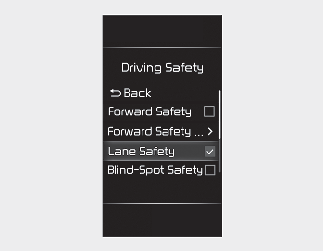
With the ignition switch or ENGINE START/STOP button in the ON position, select ‘User Settings → Driver Assistance → Driving Safety’ on the LCD display or ‘Setup → Vehicle → Driver Assistance → Driving Safety’ on the Infotainment system screen to set whether to use the function.
-
Lane Safety : If Lane Safety is selected, LKA will automatically assist the driver's steering when lane departure is detected to help prevent the vehicle from moving out of its lane. If Lane Safety is deselected, the indicator light (
 ) will be turned off.

-
LKA does not control the steering wheel when the vehicle is driven in the middle of the lane.
-
The driver should always be aware of the surroundings and steer the vehicle if Lane Safety is deselected.