
Safe Exit Warning settings
SEW (Safe Exit Warning)
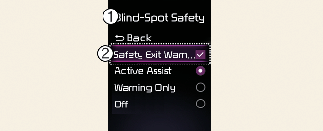
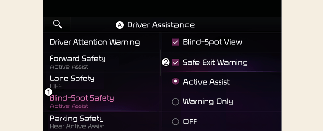
A: Driver assistance
-
Blind-spot safety
-
Safe Exit Warning
With the vehicle on, select Driver assistance → Blind-spot safety→ Safe Exit Warning from the Settings menu to turn on Safe Exit Warning and deselect to turn off the function.

The driver should always be aware of unexpected and sudden situations from occurring. If SEW (Safe Exit Warning) is deselected, Safe Exit Warning cannot warn you.

If the vehicle is restarted, Safe Exit Warning will maintain the last setting.
Warning volume
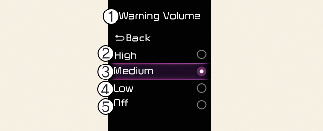
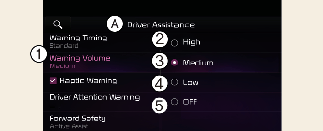
A: Driver assistance
-
Warning volume
-
High
-
Medium
-
Low
-
Off (If steering wheel vibration function is equipped)
With the vehicle on, select Driver assistance → Warning volume from the Settings menu to change the warning volume to High, Medium, or Low or Off for Safe Exit Warning.
However, even if Off is selected, the Warning Volume of Safe Exit Warning will not turn off but the volume will sound as Low.
If you change the warning volume, the warning volume of other Driver Assistance systems may change.

The setting of the Warning Volume applies to all functions of Safe Exit Warning.
Depending on your region or update, the menu may be displayed as 'Warning volume', 'Warning Sound and Haptic' or 'Warning Methods'.