

Hands-off warning
 OCL4M055099N |
|
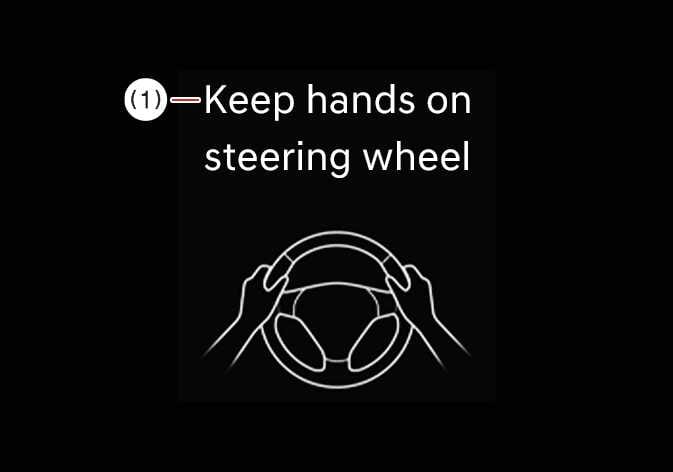
If you take your hands off the steering wheel for several seconds, a warning message appears on the instrument cluster, and an audible warning sounds in stages.
The Hands-off warning will stop when the driver grips the steering wheel.
-
Steering assistance may not activate if you hold the steering wheel very tight or steer over a certain degree.
-
Lane Keeping Assist does not operate at all times. It is your responsibility to safely steer the vehicle and maintain the vehicle in its lane.
-
The hands-off warning message may appear late, depending on road conditions. Always keep your hands on the steering wheel while driving.
-
If you wear gloves or hold the steering wheel very lightly, the hands-off warning message may appear because Lane Keeping Assist may not recognize that you have your hands on the steering wheel.
-
If you attach objects to the steering wheel, the hands-off warning may not work properly.
-
Even when the steering is assisted by Lane Keeping Assist, you may still control the steering wheel.
-
The steering wheel may feel heavier or lighter than usual when the steering wheel is being assisted by Lane Keeping Assist.
-
If the interior camera detects an abnormal driver condition, Lane Keeping Assist may activate earlier than usual.: (if equipped)
-
In the following situations, the steering wheel may feel heavier for safety:
-
When the driver is inattentive, such as not looking at the road ahead or in the direction of lane departure, or when a Hands-Off warning is triggered.
-
When a vehicle is approaching in the same direction in the lane toward which departure is occurring.
-
When a vehicle is approaching from the opposite direction in the lane toward which departure is occurring (across the center line).
-
-
When the lane is recognized, the lane color in the cluster changes from gray to white.
Figure 1. Lane undetected 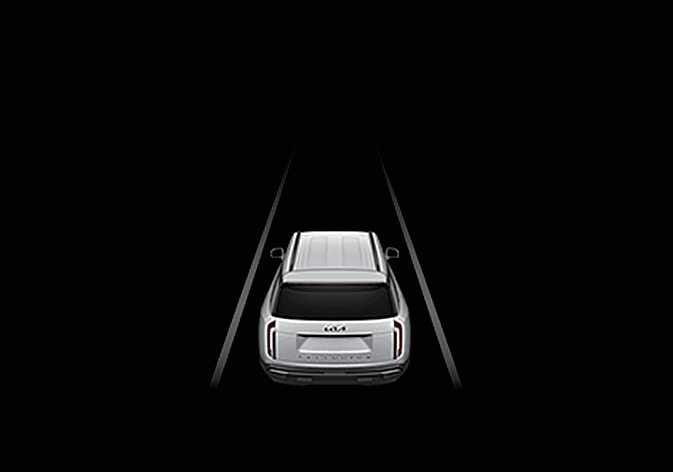 OLQ2A005014
Figure 2. Lane detected 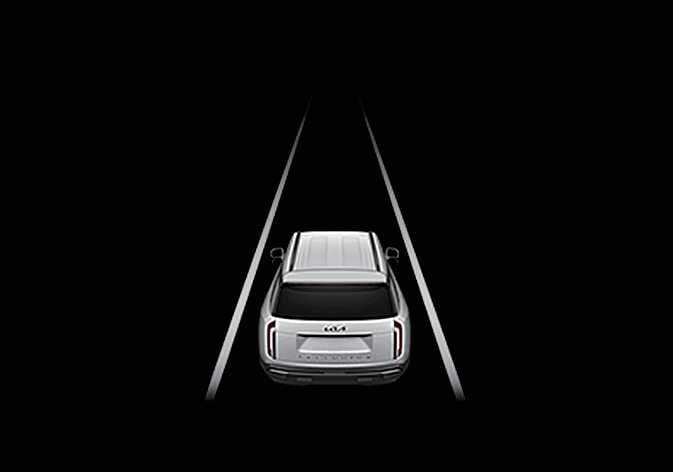 OLQ2A005015
 -
The lanes displayed in the cluster may differ from the actual lanes.
-
For more details on cluster settings, refer to LCD display.
-
If you select Highway Lane Change Assist, the green lane appears on the instrument cluster (if equipped).
-
The images or colors may display differently depending on the specifications of the instrument cluster or theme.