Trip information (trip computer)
The trip computer is a microcomputer-controlled driver information system that displays information related to driving.

Some driving information stored in the trip computer resets if the battery is disconnected.
Trip Modes
To change the trip mode, scroll the toggle the switch ( /
/  ) on the steering wheel.
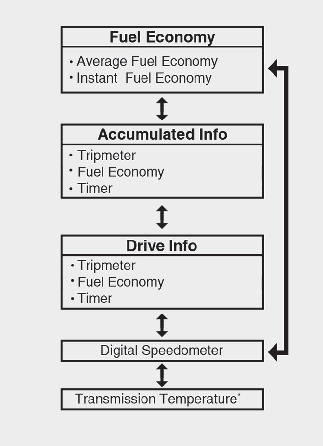
* for vehicle equipped with dual clutch transmission
Fuel Economy
-
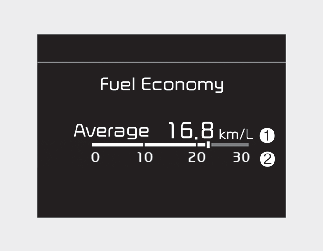
The average fuel economy is calculated by the total driving distance and fuel consumption since the last average fuel economy reset.
-
Fuel economy range: 0~99.9 mpg or L/100 km
-
-
The average fuel economy can be reset both manually and automatically.
Manual reset
To clear the average fuel economy manually, press the OK button on the steering wheel for more than 1 second when the average fuel economy is displayed.
Automatic reset
To automatically reset the average fuel economy select either menu from the 'Fuel economy auto reset' in the User Settings mode on the LCD display.
If your vehicle is equipped with an infotainment system, you can learn how to setup on the website via QR code in the infotainment quick reference guide.
-
OFF - You may set to default manually by using the trip switch reset button.
-
After ignition - The vehicle will automatically set to default once 4 hours pass after the Ignition is in OFF.
-
After refueling - After refueling more than 6 liters (1.6 gallons) and driving over 1 km/h (1 mph), the vehicle will reset to default automatically.
-
This mode displays the instant fuel economy.
Accumulated Info display
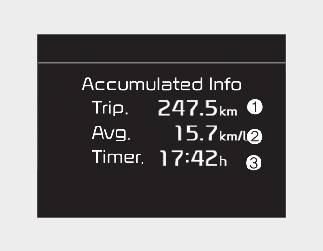
This display shows the accumulated trip distance (1), the average fuel efficiency (2), and the total driving time (3).
-
Accumulated information is calculated after the vehicle has run for more than 300 meters (0.19 miles).
-
If you press "OK" button for more than 1 second after the Cumulative Information is displayed, the information will be reset.
-
If the engine is running, even when the vehicle is not in motion, the information will be accumulated.
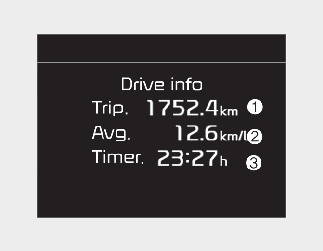
Drive Info display
This display shows the trip distance (1), the average fuel efficiency (2), and the total driving time (3) information once per one ignition cycle.
-
Fuel efficiency is calculated after the vehicle has run for more than 300 meters (0.19 miles).
-
If you press "OK" button for more than 1 second after the Driving Information is displayed, the information will be reset.
-
If the engine is running, even when the vehicle is not in motion, the information will be accumulated.
The vehicle must be driven for a minimum of 300 meters (0.19 miles) since the last ignition cycle before the average accumulated driving information is recalculated.
Digital speedometer
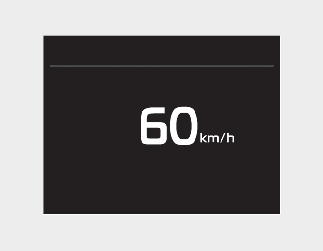
This digital speedometer display shows the speed of the vehicle.