
Leading Vehicle Departure Alert
Function setting
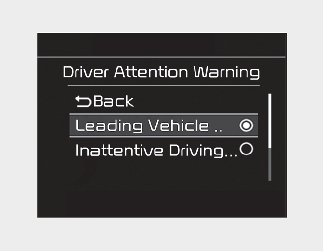
With the engine ON, Leading Vehicle Departure Alert turns on and gets ready to be activated when the 'User Settings → Driver Assistance → Driver Attention Warning → Leading vehicle departure alert' is selected on the cluster. If your vehicle is equipped with an infotainment system, you can learn how to setup on the website via QR code in the infotainment quick reference guide. The function stops operation when the setting is deactivated. However, if the engine is turned off then on again, the function maintains the previous state.
Operating conditions
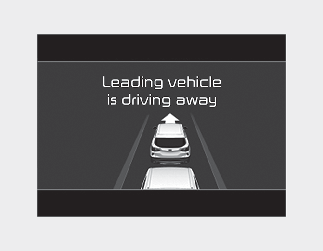
After the vehicle in front departs, the message is displayed on the cluster with the alarm.

-
Leading vehicle departure alert function is assist equipment for the driver, and the function may not sound the alarm even the vehicle in front departs.
-
Even though the function allows the driver recognize the departure of the vehicle in front, the driver should always be aware of the surroundings and operate the vehicle with the driver's own decisions.

-
Leading vehicle departure alert function uses the front view camera. To optimize the function of the front view camera, the driver should manage it carefully. For detailed information, please refer to the warning statements in More Details.
-
Leading Vehicle Departure Alert will not be in the ENABLED state when:
-
There is a passenger or a bicycle in front of the vehicle.
-
A vehicle moves into your lane from an adjacent lane.
-
The vehicle in front departs suddenly or makes a U-turn.
-
The vehicle stops on a speed bump or on a slope.
-
The vehicle stops during turning right or driving on a curve.
-
The traffic condition is complicate such as a lane drop section.
-
The vehicle stops on the shoulder, rest area or parking lots.
-
The function may not work around 15 seconds after starting the vehicle or the initialization or rebooting of the front view camera.
WARNINGAlways check the front of the vehicle and road conditions before departure.
-