
Highway Driving Assist operation
Steering control
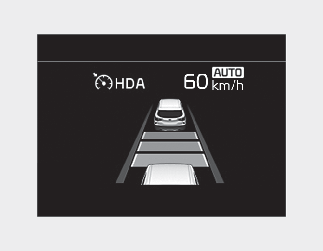
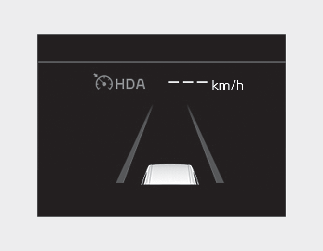
If both lanes are recognized properly (lane color: white), the steering wheel indicator ( ) lights up in green and then the steering control is initiated. When the function cannot provide temporary steering inputs,
the indicator flashes green and then changes to white. Even when Highway Driving Assist cannot provide temporary steering
inputs, it still controls the distance from other vehicles. (For information on non-operating conditions of steering wheel
control, please refer to More Details.)
) lights up in green and then the steering control is initiated. When the function cannot provide temporary steering inputs,
the indicator flashes green and then changes to white. Even when Highway Driving Assist cannot provide temporary steering
inputs, it still controls the distance from other vehicles. (For information on non-operating conditions of steering wheel
control, please refer to More Details.)
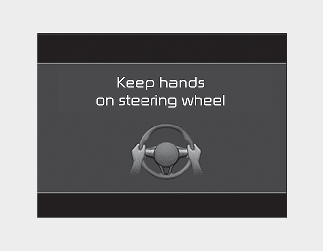
The hands-off warning appears when the function detects that the driver's hands are not on the steering wheel while Highway Driving Assist is in work.
(First warning: warning message, Second warning: warning message with warning sound)

-
The hands-off warning may be delayed depending on road conditions. Always keep your hands on the steering wheel while driving.
-
If you hold the steering wheel lightly, it may be perceived that the steering wheel is not held at all and trigger the hands-off warning.
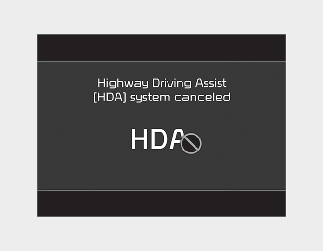
If you keep your hands off the steering wheel even with the hands-off warning on, the steering assist and Smart Cruise Control will be temporarily released automatically.
If you activate Smart Cruise Control with Highway Driving Assist released, the steering assist will re-start.
Automatic speed setting
In the automatic speed setting mode, the set speed is automatically adjusted to the changing speed limits of highway sections.
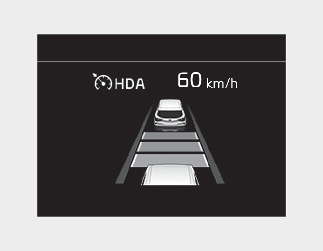
If the driver directly changes the speed, it enters the manual speed setting mode and the set speed is displayed in white and the "AUTO" symbol will disappear.