
Displaying the operating conditions
When Navigation-based Smart Cruise Control is activated, it is displayed in the cluster according to operating conditions:
Standby mode
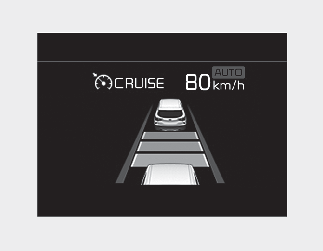
If You activate NSCC in the infotainment system and the operating conditions are met, NSCC will be ready to operate and the
indicator light ( ) will turn white in the cluster.
In operation
When the vehicle enters the curved section and the speed control function is activated, the indicator light () turns green and illuminates until the vehicle is out of the curved section.
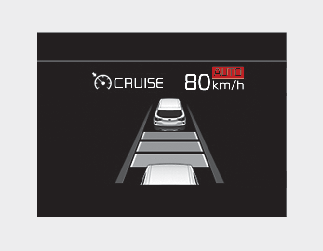
Drive carefully.
-
When Navigation-based Smart Cruise Control cannot be activated, it is automatically deselected in the cluster and the indicator light (
) turns off. However, if Highway Driving Assist is activated, the indicator light () may turn on.
-
Navigation-based Smart Cruise Control operates regardless of warnings/settings about road curves in the navigation function. So the start and end of Navigation-based Smart Cruise Control’s operation may not match information provided by the Infotainment System.
-
The function is not designed to work on national highways and public roads and available only on curved sections of controlled access roads of certain highways.
-
Navigation-based Smart Cruise Control is automatically turned off at interchanges/junctions or on national highways or public roads.
-
Navigation-based Smart Cruise Control will not operate when the vehicle moves away from main roads of the highways and enters curves sections at interchanges or junctions even though the roads may seem like part of the main roads.
-
When the vehicle is not decelerated enough before entering the curve, ‘Drive carefully’ will be displayed in the instrument cluster.
-
In all situations, the driver's behavior/judgment has the priority.
-
Navigation-based Smart Cruise Control may not work, depending on the presence and driving status of the vehicle ahead.
-
When the vehicle moves from the main roads of the highways and enters interchanges/junctions, national highways, or public roads, Navigation-based Smart Cruise Control will be automatically turned off.
-
Navigation-based Smart Cruise Control may not function properly in the following situations:
-
The navigation is not working properly
-
The navigation is not updated to include the latest information about road curvature and changes.
-
The real-time GPS or map information provided has differences with the actual road.
-
The navigation is overloaded by performing functions such as route search, video play-back, voice recognition, etc. simultaneously.
-
GPS signals are blocked in areas such as a tunnel.
-
The driver goes off the route, cancels the route to the set a new destination, or searches a route to the destination again.
-
The vehicle enters a service station or resting area.
-
Some road sections of the highway have been changed.
-
Android Auto, Car Play, or other navigation/smartphone-based technologies are in operation.
-
The navigation cannot detect the current vehicle position (ex: elevated roads including overpass adjacent to general roads or nearby roads exist in a parallel way).
-
The navigation is being updated while driving.
-
The navigation is being reset while driving.
-
The road is slippery due to bad weather such as rain or snow.
-
The road section is under construction.
-
The access to the road is limited according to some reasons.
-
The curvature of the road is very sharp.
-
-
When the vehicle passes a tollgate on the main road of the highway, Navigation-based Smart Cruise Control decelerates based on the presumption that the vehicle is on the 1st lane. So, if the vehicle is not on the 1st lane, the deceleration speed may not be appropriate.
-
When the driver presses down the accelerator pedal while Navigation-based Smart Cruise Control decelerates vehicle, the vehicle may not be decelerated enough.
-
When the driver takes off his foot after pressing down the accelerator pedal for a while, the vehicle may be decelerated rapidly to drop the speed to safe levels.
-
The Infotainment System provides curvature that falls within the allowed speed range, so the vehicle may not decelerate if the driving speed is over the range.
-
Navigation-based Smart Cruise Control may not work properly when the road is narrow or its surface is uneven.
-
We do not recommend using Navigation-based Smart Cruise Control when the vehicle tows another vehicle or a trailer.
-
For your safety, please read the owner's manual before using the function.
-
Navigation-based Smart Cruise Control reduces the driving speed based on the information about the curvature of the road provided by the Infotainment System and it may exceed the speed limit of the road. Navigation-based Smart Cruise Control is not a substitute for safe driving practices, but a supplementary function. It is the responsibility of the driver to comply with traffic laws and drive safely.
-
Navigation-based Smart Cruise Control relies entirely on the road information provided by the Infotainment System, and Kia is not responsible for the driver's violation of traffic laws or accidents.