
When there is a vehicle ahead of you in your lane:
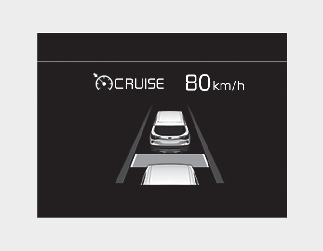
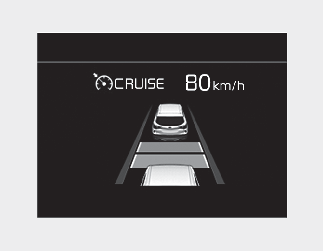
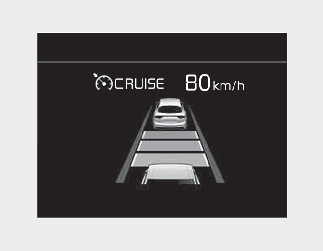

Your vehicle speed will slow down or speed up to maintain the selected distance. (A vehicle will appear in front of your vehicle in the LCD display only when there is an actual vehicle in front of you.)
If the vehicle ahead speeds up, your vehicle will travel at a steady cruising speed after accelerating to the set speed.

When using Smart Cruise Control:
-
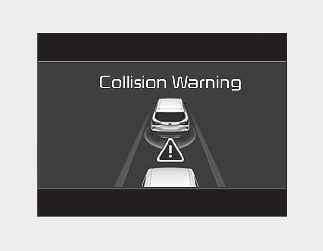
The warning message appears and warning chime sounds if the vehicle is unable to maintain a safe distance at the set cruise control speed.
-
If the warning message appears and warning chime sounds, depress the brake pedal to actively adjust the vehicle speed and the distance to the vehicle ahead.
-
Even if the warning message does not appear and warning chime does not sound, always pay attention to the driving conditions to prevent dangerous situations from occurring.
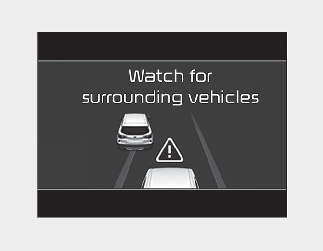
If the vehicle ahead (vehicle speed: less than 30 km/h (20 mph) moves to the next lane, the warning chime will sound and a message will appear. Adjust your vehicle speed for vehicles or objects that can suddenly appear in front of you by depressing the brake pedal according to the road and driving conditions.
In traffic situation
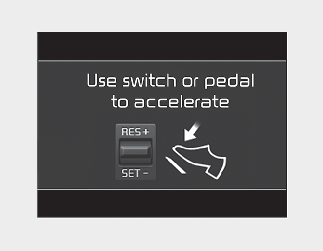
Use switch or pedal to accelerate
-
In traffic, your vehicle will stop if the vehicle ahead of you stops. Also, if the vehicle ahead of you starts moving, your vehicle will start as well. However, if the vehicle stops for more than 3 seconds, you must depress the accelerator pedal or push up the toggle switch (RES+) or push down the toggle switch (SET-) to start driving.
-
If you push switch (RES+ or SET-) while Auto Hold and Smart Cruise Control is operating the Auto Hold will be released regardless of accelerator pedal operation and the vehicle will start to move. The AUTO HOLD indicator changes from green to white.