
Smart Cruise Control malfunction message
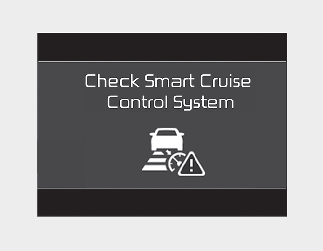
The message will appear when the Vehicle Distance control function is not functioning normally.
In this case, take your vehicle to an authorized Kia dealer and have the function checked.

-
Do not apply foreign objects such as a bumper sticker or a bumper guard near the radar sensor. Doing so may adversely affect the sensing performance of the radar.
-
Always keep the radar sensor and lens cover clean and free of dirt and debris.
-
Use only a soft cloth to wash the vehicle. Do not spray pressurized water directly on the sensor or sensor cover.
-
Be careful not to apply unnecessary force on the radar sensor or sensor cover. If the sensor is forcibly moved out of proper alignment, Smart Cruise Control may not operate correctly. In this case, a warning message may not be displayed.
Have the vehicle inspected by an authorized Kia dealer.
-
If the front bumper becomes damaged in the area around the radar sensor, Smart Cruise Control may not operate properly. If this occurs, take your vehicle to an authorized Kia dealer and have the function checked.
-
Use only a genuine Kia sensor cover for your vehicle. Do not paint anything on the sensor cover.