
Driver Attention Warning setting and operation
Driver Attention Warning setting
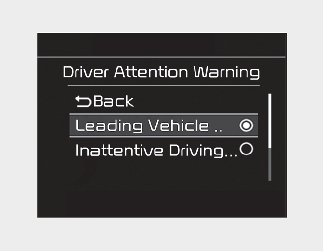
-
To turn ON Driver Attention Warning, turn on the engine, and then select "User Settings → Driver Assistance → Driver Attention Warning → Inattentive Driving Warning" on the LCD display or infotainment system display. If your vehicle is equipped with an infotainment system, you can learn how to setup on the website via QR code in the infotainment quick reference guide.
-
The set-up of Driver Attention Warning will be maintained, as selected, when the engine is re-started.
Warning Timing
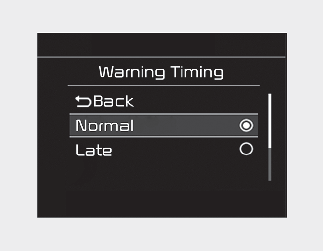
The driver can select the initial warning activation time in the User Settings in the LCD display or infotainment system display by selecting 'User Settings → Driver Assistance → Warning Timing'. The options for the initial Inattentive Warning Timing includes the following:
-
Late: Driver Attention Warning helps warn the driver of his/her fatigue level or inattentive driving practices later than Normal mode.

Other driver assistance functions like Forward Collision-Avoidance Assist, etc. can be changed when warning time setting is changed.