

1. Programming HomeLink®
The following steps show how to program HomeLink®. If you have any questions or are having difficulty programming your HomeLink® buttons, refer to the HomeLink® website or call the HomeLink® customer support toll-free number before going back to the dealer who sold you the car.
Visit the HomeLink® website at: www.homelink.com. At the top of the page, choose your vehicle make. Then you can watch the YouTube video and access additional information on the website.
If you choose to access the website via your cell phone, scan the QR code:
 ODL3A040519 |
Or call HomeLink® customer support at 1-800-355-3515
(Please have the vehicle make/model AND the opener device make/model readily available.)
- Programming Preparation
- Press the ENGINE START/STOP button in the ACC position to program HomeLink®.
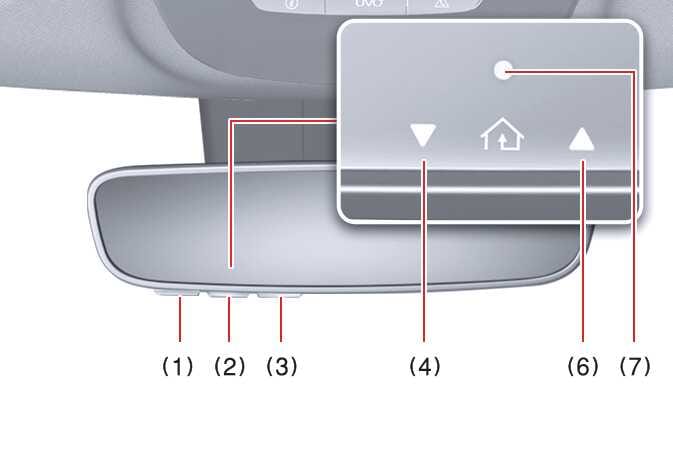 OMQ4A035499
- Press the ENGINE START/STOP button in the ACC position to program HomeLink®.
- Programming a New HomeLink® Button
- Press and release the HomeLink® button you would like to program (1, 2, or 3). The HomeLink® indicator light (7) will slowly flash orange. If it does not, perform the steps in the “Erasing HomeLink® Buttons” section, and start over.
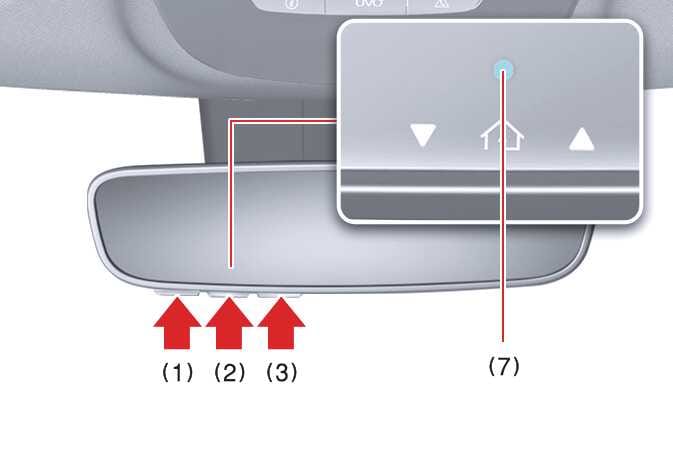 OMQ4A035500
 - Position the garage door opener remote 1–3 inches (2–8 cm) away from the HomeLink® buttons.
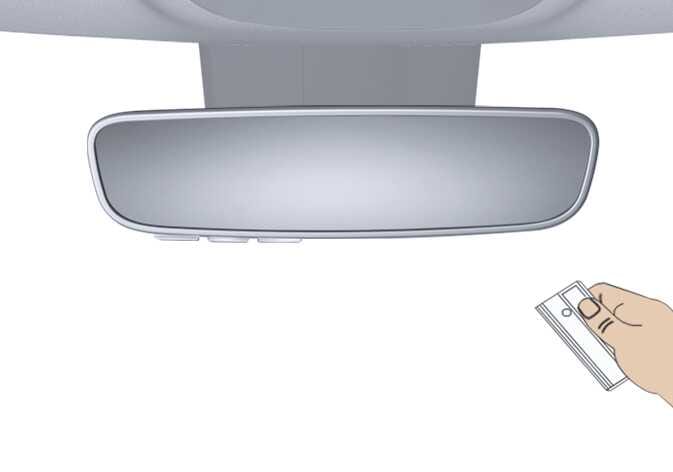 OMQ4A035447
 - At the garage door opener motor, security gate motor, or other system motor, locate the “Learn,” “Smart,” “Set,” or “Program” button. This can usually be found where the hanging antenna wire (1) is attached to the motor-head unit (see the device’s manual to identify this button). The name and color of the button may vary by manufacturer.
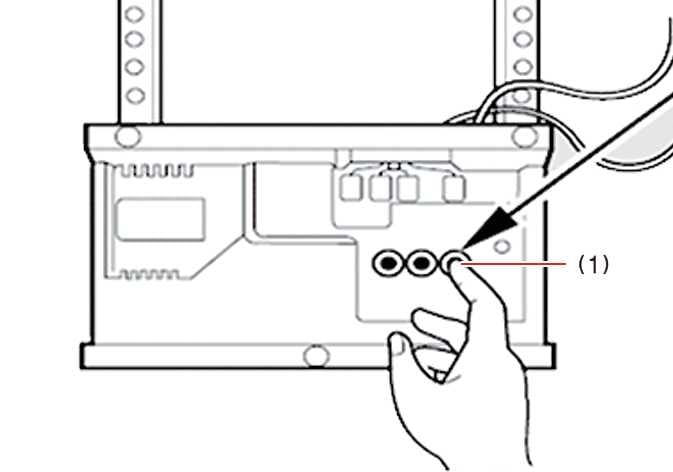 OMQ4A035464
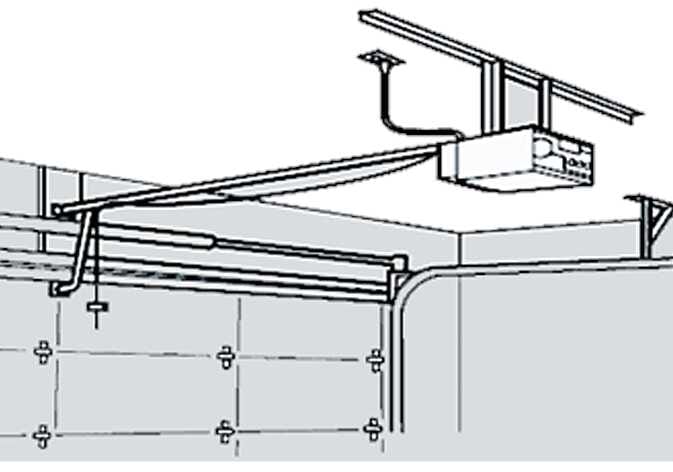 OMQ4A035465
A ladder or second person may simplify the following steps.
- Press and release the HomeLink® button you would like to program (1, 2, or 3). The HomeLink® indicator light (7) will slowly flash orange. If it does not, perform the steps in the “Erasing HomeLink® Buttons” section, and start over.
If your garage door opener has the “ myQ ” logo on its side, your opener has Two-Way Communication capability. HomeLink® has the capability to establish Two-Way Communication with your garage door opener. HomeLink® can receive and display “closing” or “opening” status messages from compatible garage door openers. At any time, HomeLink® can also recall and display the last recorded status communicated by the garage door opener to indicate your garage door being “closed” or “opened.”
To check if your garage door opener is compatible with this feature, refer to www.homelink.com/support. If your garage door opener has this functionality, AND the Two-Way Communication indicators (4), (6) in the mirror appear while the garage door is opening/closing, then no further steps are needed. Two-Way Communication programming is already complete. However, if your garage door opener has this functionality, AND the Two-Way Communication indicators (4), (6) in the mirror DO NOT appear while the garage door is opening/closing, use the following instructions to enable this functionality.
- In your vehicle, press and hold the programmed HomeLink® button for 2 seconds, then release it. Confirm that the garage door is moving. AFTER it stops, you will have 1 minute to complete the following steps:
A ladder or second person may simplify the following steps.
- Canadian Programming
Canadian radio-frequency laws require transmitter remote signals to “time out” (or quit) after a couple seconds of transmission, which may not be long enough for HomeLink® to pick up the signal during programming.
If you live in Canada or you are having difficulties programming a gate operator or garage door opener by using the programming procedures, replace “Programming a New HomeLink® Button” step 3 with the following:
While the HomeLink® indicator light (7) is flashing orange, press and release (“cycle”) your device’s hand-held remote every two seconds until the HomeLink® indicator light (7) changes from orange to green. You may now release the hand-held remote button. Then proceed with “Programming a New HomeLink® Button” step 4.