

3. Erasing HomeLink® Buttons
1) Erasing and reprogramming a single HomeLink® button:
-
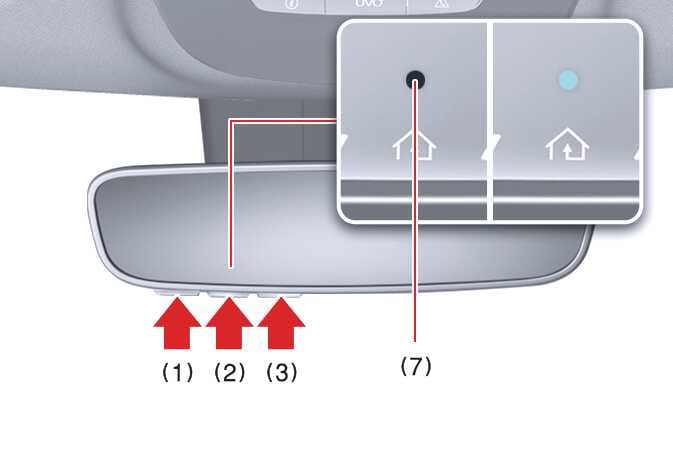
Press and hold the HomeLink® button you want to reprogram. DO NOT release the button.
-
The HomeLink® indicator light (7) will appear solid green. Release the button as soon as the HomeLink® indicator light (7) begins to flash orange, which usually takes approximately 20 seconds.
-
Proceed with the steps in the “Programming a new HomeLink® button” section.
If you do not complete the reprogramming of a new device to the button, it will revert to the previously stored programming.
2) Erasing ALL HomeLink® programming from ALL buttons:
 OMQ4A035501 |
-
Press and hold buttons (1) and (3) simultaneously.
-
The HomeLink® indicator light (7) will appear solid orange for about 10 seconds.
-
Release the buttons once the HomeLink® indicator light (7) rapidly flashes green.
-
Now all 3 HomeLink® buttons (1), (2), and (3) are cleared of any programming.