

Walk-in seat (2nd row seat)
To access or exit the 3rd row seat:
-
Route the seat belt webbing through the 2nd row seat belt guide clip. Insert
the belt and pull it upward to tighten.
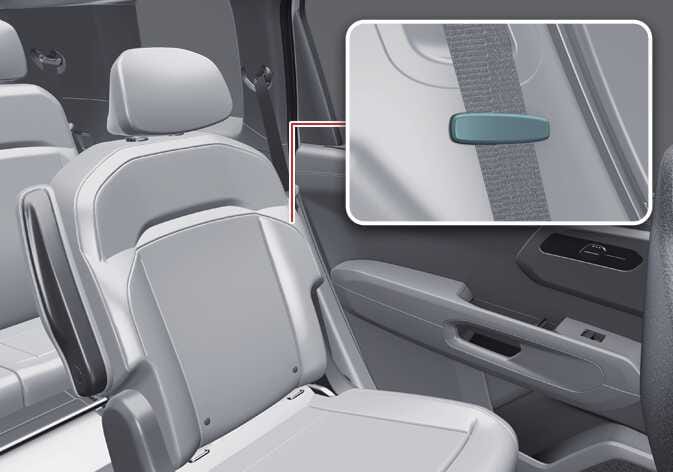 OLQ2A065009
 -
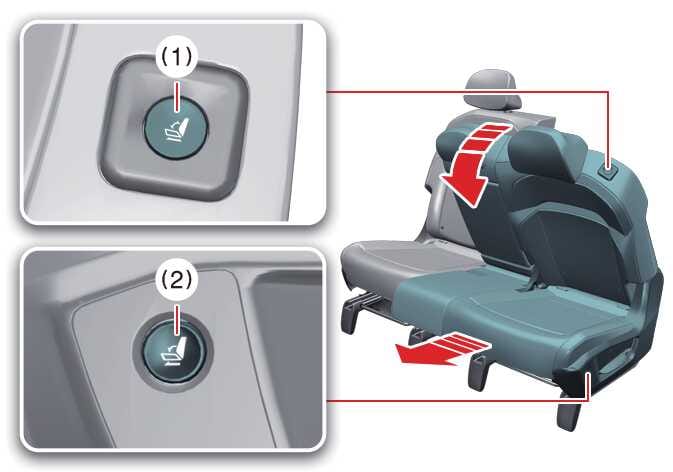
Press and hold either switch (1) on the top of the 2nd row seat or switch (2)
at the bottom to move the seat to a preset position.
for 7 passenger
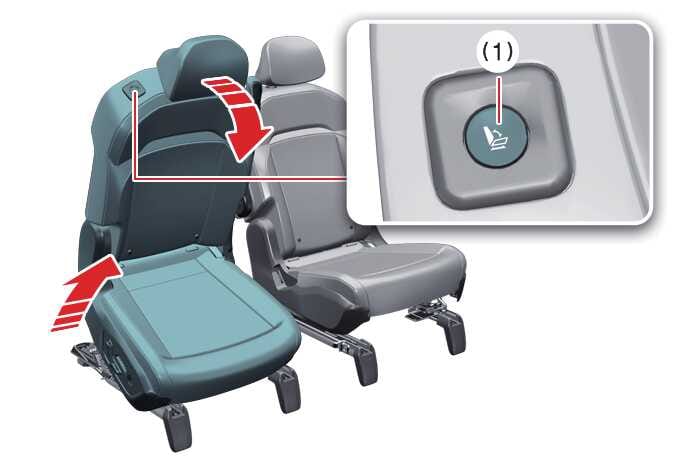 OLQ2AH066012
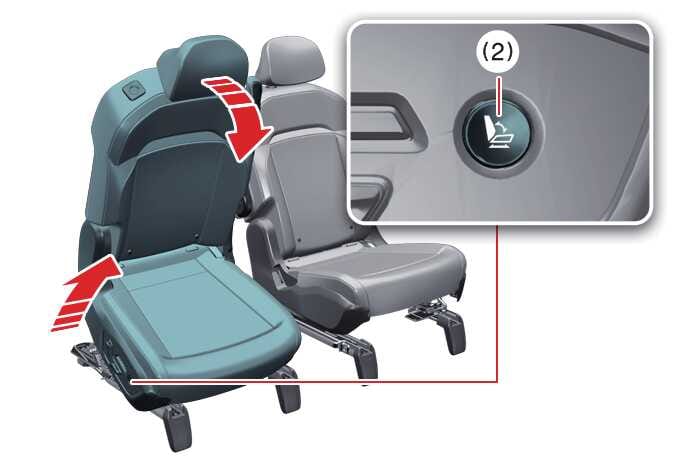 OLQ2AH066013
for 8 passenger (right side seat)
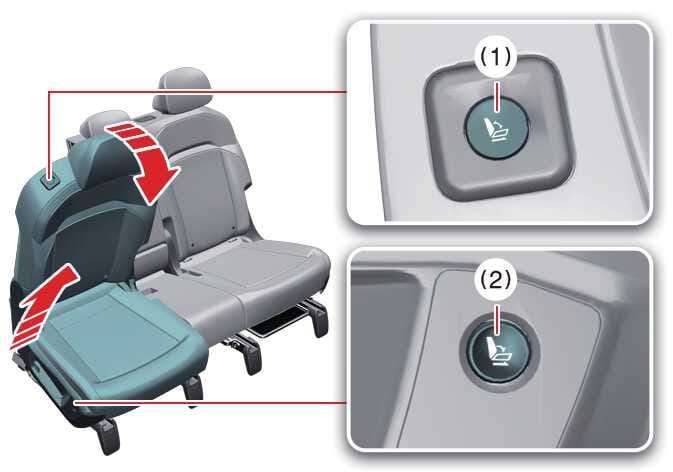 OLQ2AH066014_2
Press and hold the walk-in switch located at the top of the 2nd row seatback or on the outer side of the seat. The seat cushion and seatback will tilt forward simultaneously, and the seat will move to a preset position.
for 8 passenger (center and left and side seat)
 OLQ2AH066015_2
 -
Press either switch (1) on the top of the 2nd row seat or switch (2) at the
bottom to move the seat to a predefined position.
WARNING
Do not attempt to operate the 2nd row walk-in switch while the vehicle is in motion. The seat may move unexpectedly, which could result in passenger injury.
-
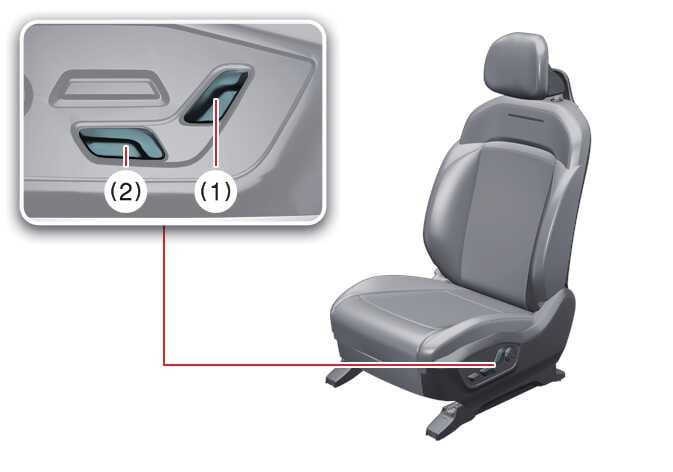
After using the walk-in switch and before entering the vehicle, adjust the
seatback angle switch (1) or the forward/backward switch (2) to adjust the seat
to your preferred position.
 OLQ2AH066018WARNING
Do not press the seatback angle switch or the seat cushion forward/backward switch while the seat is occupied, or when someone is entering or exiting the vehicle. Doing so may cause the seat to move unexpectedly, increasing the risk of serious injury or death. Always supervise children seated in the 2nd row. After use, ensure the 2nd row seatback is returned to the proper seating position.
TIPThe walk-in feature must not be used if a Child Restraint System is installed or if there is a passenger in the seat. To use the feature, first remove the Child Restraint System from the seat.