
Energy consumption
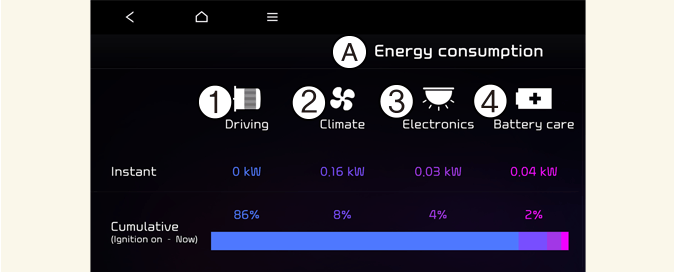
A: Energy information
-
Energy consumption
-
Driving
-
Climate
-
Electronics
-
Battery care
In order to check the current energy consumption for each system of the vehicle, select ECO driving menu on the screen.
-
Driving shows the total power and energy consumption of the driving motor's driving energy and regenerative energy.
-
Climate shows the power and energy consumption which are used by the heater or air conditioner.
-
Electronics shows the power and energy consumption which are used by the vehicle systems including the cluster, infotainment system (speaker and navigation), headlamp, vehicle control unit, etc.
-
Battery care shows the momentary power and energy consumption which are used when:
-
Operating the winter mode to increase the battery temperature during winter to improve the driving performance.
-
Cooling down the battery temperature during summer to prevent over temperature of the battery.
-

The infotainment system may change after software updates. For more information, refer to the manual provided in the infotainment system and the quick reference guide.